With many questions in the WordPress system, it is easy to lose the overview, which is why questions can be categorized.
To create categories and assign questions to them, click in the Funnelforms menu on the “Questions” menu item.
You can use the categories to assign different questions to a form, for example. The questions can be filtered accordingly in the form editor to make it easy to maintain an overview.
1. Create and delete categories
To create a new category click on the “Edit categories” button, a window will open where you can add and delete categories.
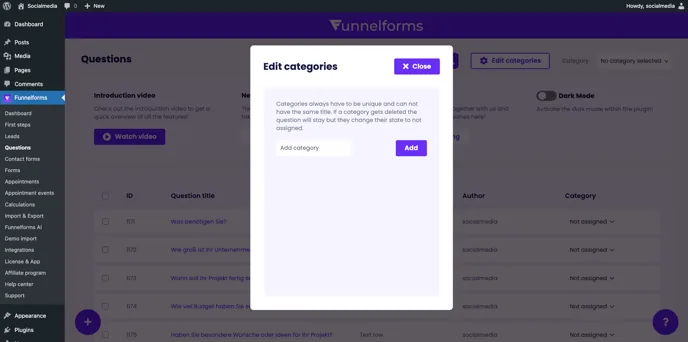
Enter a unique name for the category and click the “Add” button.
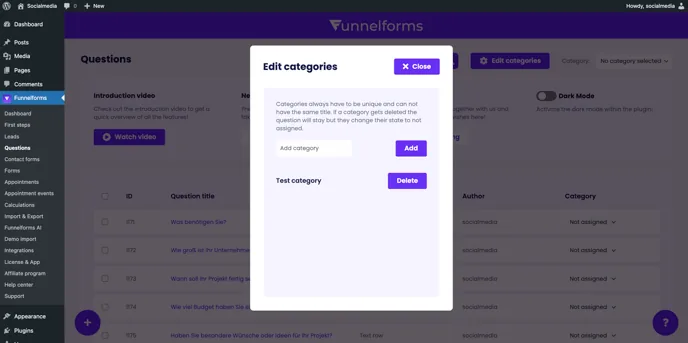
Categories always have to be unique and can not have the same title. If a category gets deleted the question will stay but they change their state to not assigned.
Click on the “Delete” button to remove the category.
2. Assign and filter questions to categories
Once you have created your desired categories, you can assign individual questions to these categories by specifying the category in the last column of the question table using the selection field.
You can then display your questions clearly by selecting the desired category to filter in the top right selection field next to the “Edit categories” button.
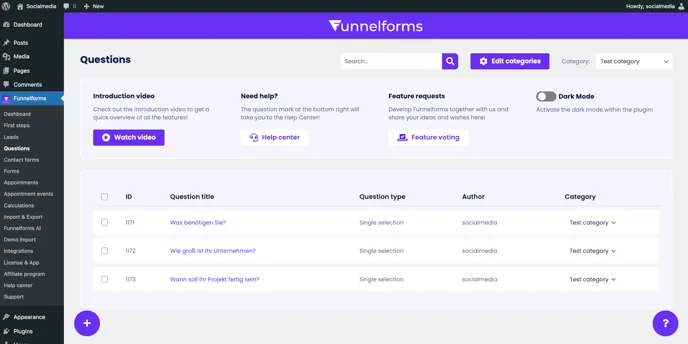
You can now create categories and assign questions to them and filter the question table by categories.