Skip to content
Funnelforms 3

Import & Export

Updated 2026-10-211 min read

You have the option of importing and exporting all questions, contact forms or forms from Funnelforms. Click on the “Import & Export” menu item in the Funnelforms plugin menu.
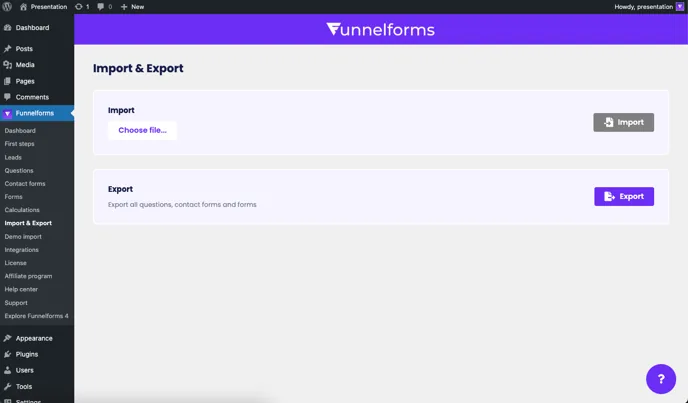
Funnelforms Pro → Import & Export with the file chooser for import and the Export button

Export

To export the data, click on the “Export” button. All forms, questions and contact forms will be exported. You will receive a .zip file to download.

Import

To import, click on the “Select file” field and select the exported .zip file from your computer. Then click on the “Import” button to start the import.

Related articles

Support

Still have questions?

Our support team is happy to help, in English and German.

  • In the plugin

    In Funnelforms Pro, send a ticket from Funnelforms → Support in the WordPress menu. The system details we need are sent along.

  • By email

    Write to us, ideally with the address of your website.

    support@funnelforms.io