Learn how to install Funnelforms Pro on your own WordPress website and activate your license.
Thank you for your trust! We are pleased to welcome you and would like to give you an overview of the first steps for installing the plugin in this help article.
After booking, you will receive an email with login details for our member area:
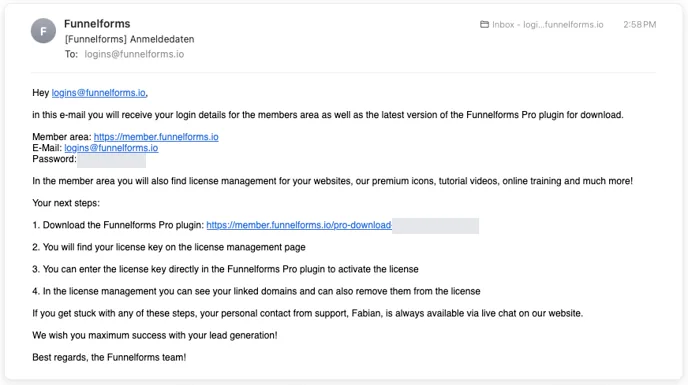
The steps required to install the plugin are already explained there. In this help article, we will go through each individual step in detail.
1. Download the Funnelforms Pro plugin
Download the Funnelforms Pro plugin to your computer using the provided link. The plugin is packed in a .zip archive.
2. Login to our member area
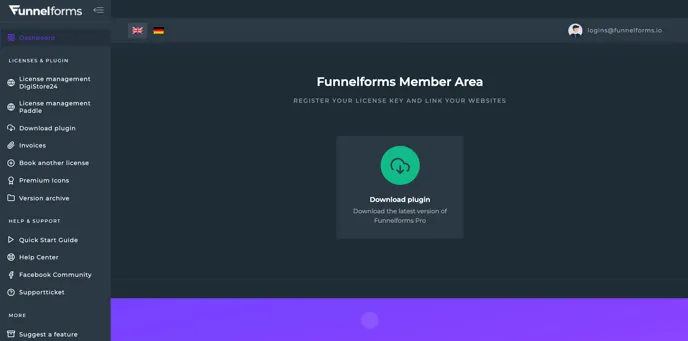
Log in to our member area with the credentials from the e-mail:
There you will find the license management. You can find detailed information of the individual functions of the member area in our Help Center category for the member area.
3. Navigate to the License management Paddle
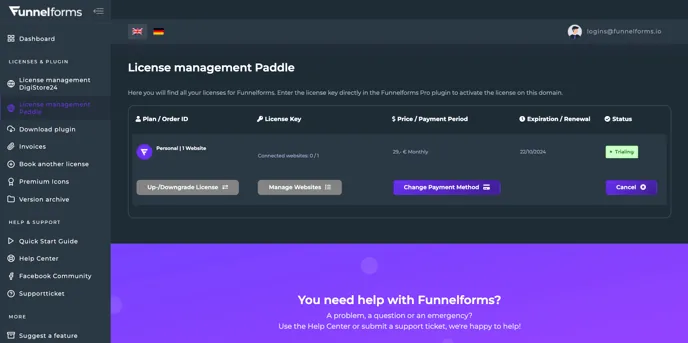
Click on the menu item “License management Paddle”. You will find all your licenses for Funnelforms Pro there and can manage them. You can upgrade/downgrade the license, manage the linked websites, change the payment method or cancel the license.
4. Copy the license key
Select the license key and copy it to the clipboard. You will need the key to activate the Funnelforms Pro plugin on your website.
5. Upload Funnelforms Pro plugin
Next, go to the WordPress website where you want to install Funnelforms Pro and log in as administrator. Click on “Add New Plugin” under the Plugins menu item and then on the “Upload Plugin” button.
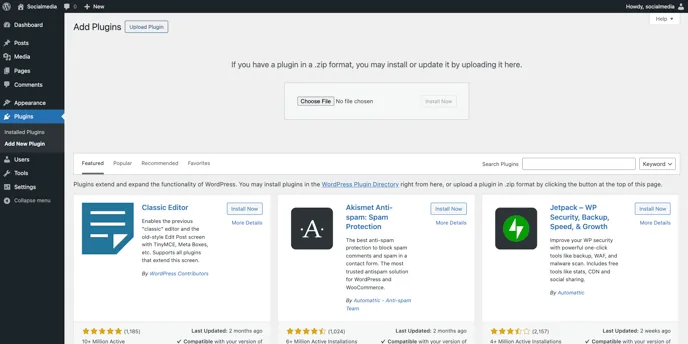
Click on “Select file” and select the previously downloaded .zip archive of Funnelforms Pro on your computer. Then click on “Install now”.
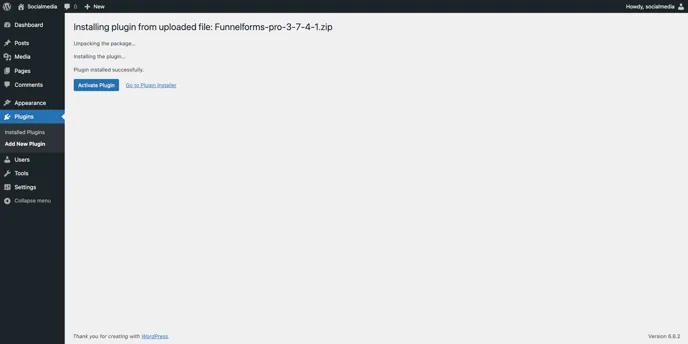
You will then be taken to this screen, click on the “Activate Plugin” button.
6. Activate Funnelforms Pro on the website
The next and final step is to activate the website with your license key. Click on “Funnelforms” in the WordPress side menu.
You will automatically be taken to the “License & App” menu item. Paste the copied license key from step 4 into the correct field and click on the “Check license” button.
Funnelforms Pro is now activated and you can start creating questions, contact forms and forms.