Skip to content
Funnelforms 3

Copy or delete contact forms

Updated 2026-10-211 min read

To copy or delete contact forms, click on the menu item “Contact forms” in the plugin menu:
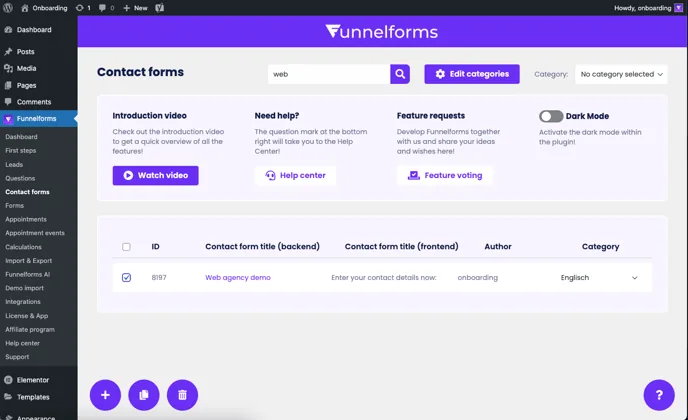
Contact form list with one form selected and the Copy and Delete buttons at the bottom left

If a contact form has been selected, a copy button and a delete button appear at the bottom right of the screen. If a contact form is to be deleted, a confirmation prompt appears to confirm the deletion.

Related articles

Support

Still have questions?

Our support team is happy to help, in English and German.

  • In the plugin

    In Funnelforms Pro, send a ticket from Funnelforms → Support in the WordPress menu. The system details we need are sent along.

  • By email

    Write to us, ideally with the address of your website.

    support@funnelforms.io