In the contact form, it is possible to define GET parameters in the settings in order to transfer these to the forwarding URL behind the contact form.
The contents of the fields from the contact form can be linked individually to the respective parameters. Click on the “Add parameter” button to add a new parameter, which can be defined with values.
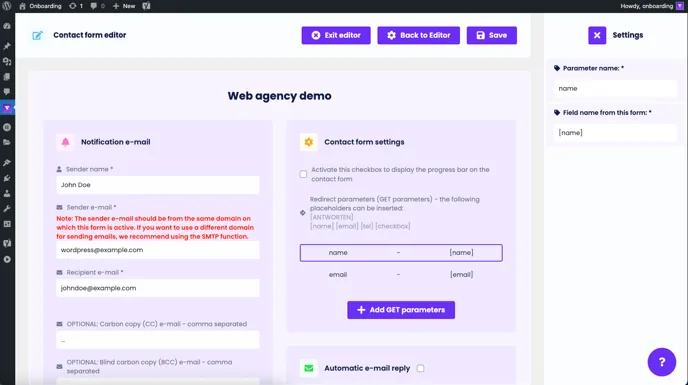
GET parameters can be used to forward data such as name, e-mail address, telephone number, etc. from the request form to a third-party tool, for example to avoid entering the data twice.
To finish, click on the “Save” button in the top right-hand corner of the page. A message will appear: “Save successful”. If errors occur or entries are missing, an error message will appear.