Templates are ready-made forms for typical industries and goals. You start with a well-thought-out flow and only adjust questions, texts and design. This article shows how the template gallery works, which templates Funnelforms Free and Funnelforms Pro include and how you create a template in your language.
Requirements
- You need the right to edit forms.
- Funnelforms Pro ships 48 templates. Funnelforms Free shows only the 14 templates that work without Pro features.
Where to find it
Funnelforms → Forms → New form. The New form gallery opens. If you have no form yet, the New form button also sits in the middle of the empty list.
Features at a glance
- A gallery with every template as a card: a small drawing of the first question, title, description, goal, number of steps and up to two features such as Logic, Calculation or File upload
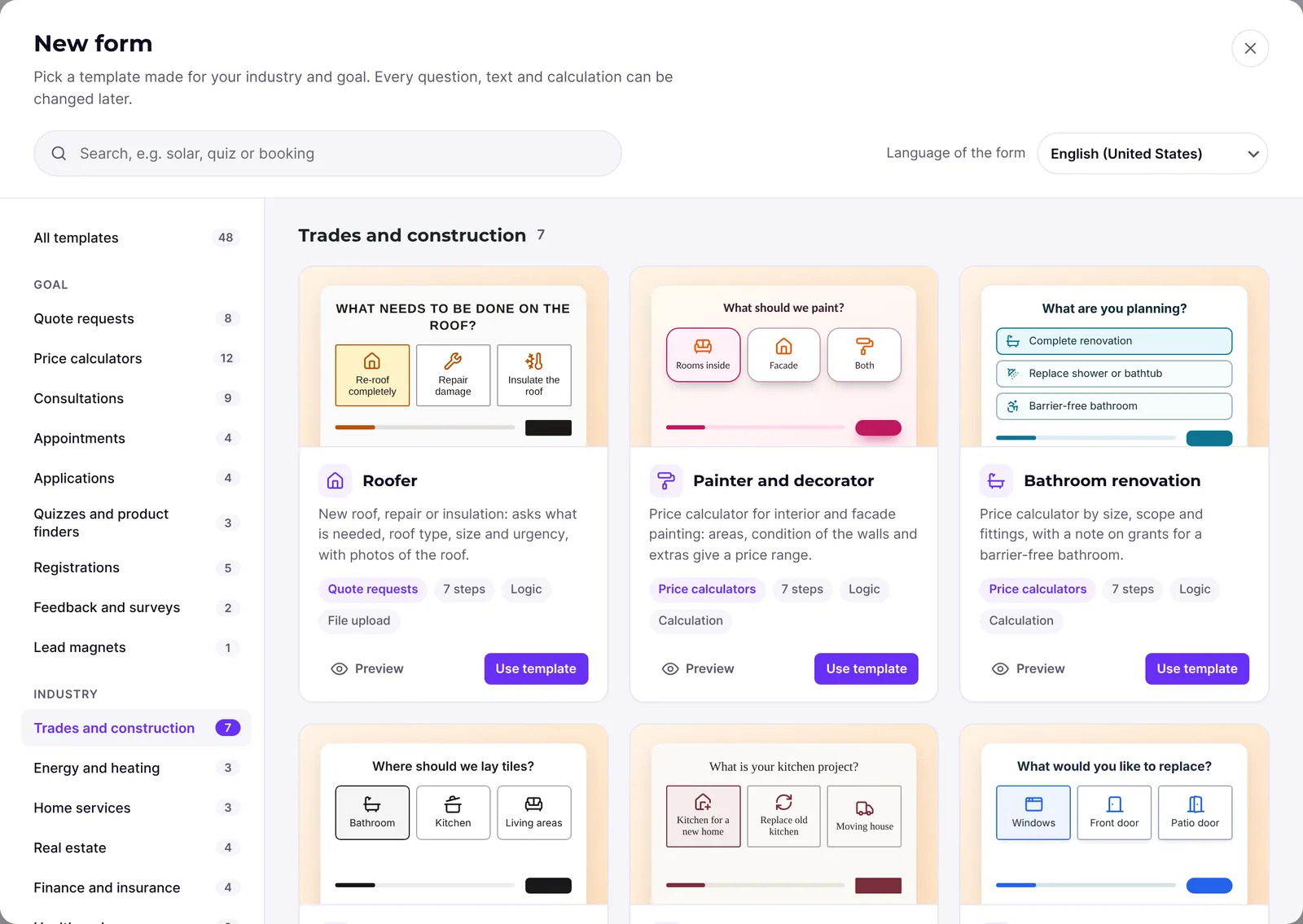
- Filters on the left: All templates, nine goals under Goal and twelve industries under Industry, each with its number of matches
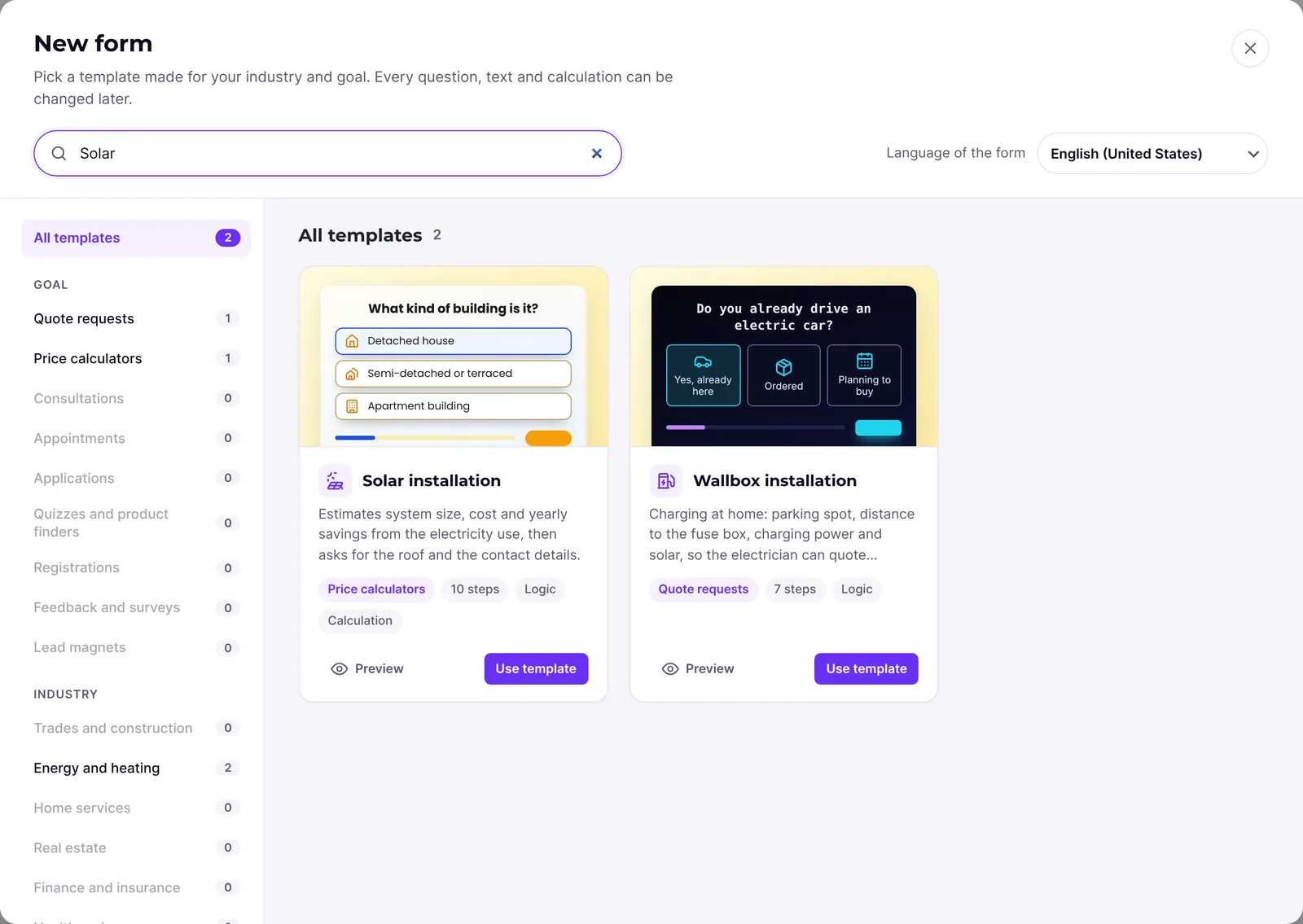
- A search at the top (Search templates) that also finds answers and ignores accents
- The choice Language of the form: German (informal and formal), English, Spanish, French, Italian and, if it is a variant of one of them, the language of your website, for example German (Austria)
- Preview of each template as a test run on Desktop, Tablet and Mobile
- Use template creates a new form as a draft
- Start from scratch for a form without a template
Step by step
- Open Funnelforms → Forms and click New form.
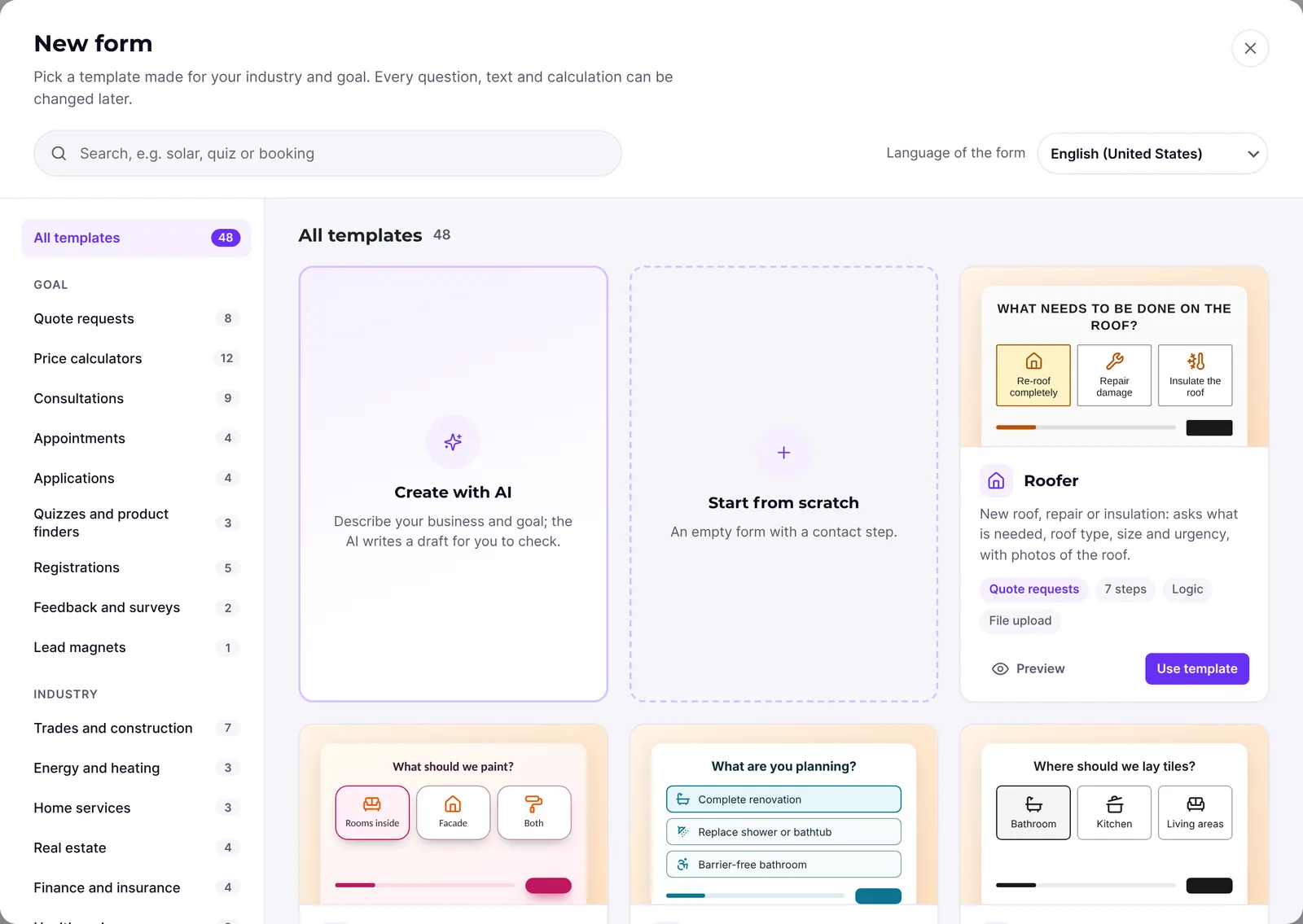
- At the top, choose under Language of the form the language visitors should see. The gallery shows the first question of each template in that language right away.
- Narrow the choice: click a goal on the left, for example Price calculators (Pro only), or an industry, for example Trades and construction. All templates removes the filter.
- If you like, type a word into the search, for example "solar", "appointment" or "callback".
- Click Preview or the drawing on a card. Play the template through; at the top you switch between Desktop, Tablet and Mobile.
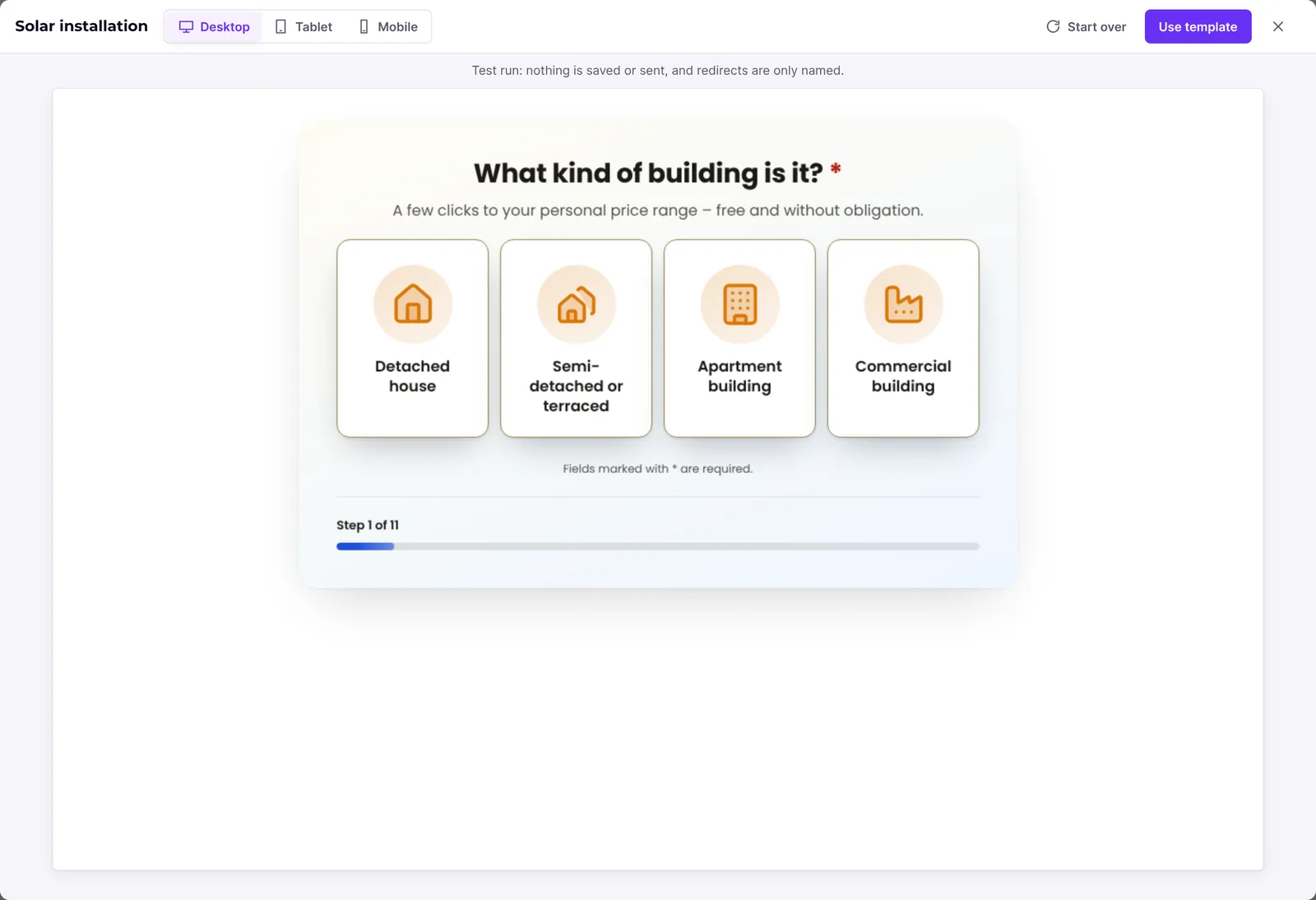
- Click Use template, in the preview or on the card. The editor opens the new form as a draft.
- Adjust questions, texts, mail recipients and design, and publish the form.
How it works
Which goals and industries are there?
The goals are Quote requests, Price calculators, Consultations, Appointments, Applications, Quizzes and product finders, Registrations, Feedback and surveys and Lead magnets. The industries are Trades and construction, Energy and heating, Home services, Real estate, Finance and insurance, Health and care, Coaching and advice, Agencies and creatives, Online shops, Recruiting, Events and For every business. Filters without matches are greyed out.
Which templates does Funnelforms Pro have?
- Quote requests (8): Roofer, Tiler, Windows and doors, Terrace roof, Wallbox installation, Gardening and landscaping, Video production, Photographer
- Price calculators (12): Painter and decorator, Bathroom renovation, Solar installation, Heat pump, Removal company, Cleaning service, Property valuation, Mortgage calculator, Pension gap calculator, Website price calculator, Made-to-measure furniture, Catering calculator
- Consultations (9): Kitchen studio, Sell your property, Insurance check, Tax adviser, Home care service, Law firm enquiry, Business consulting, Marketing agency, Contact form
- Appointments (4): Therapy appointment request, Coaching intro call, Callback request, Appointment booking
- Applications (4): Tenant application, Job application, Trades job application, Nursing job application
- Quizzes and product finders (3): Mattress finder, Digital readiness check, IT security quiz
- Registrations (5): Property search profile, Gym trial session, Prize draw, Event registration, Webinar sign-up
- Feedback and surveys (2): Net Promoter Score, Customer satisfaction survey
- Lead magnets (1): Free checklist download
The gallery shows the names in the language of your WordPress admin.
Which templates does Funnelforms Free have?
Funnelforms Free ships only the templates that use no Pro feature: Sell your property, Insurance check, Home care service, Contact form, Gym trial session, Prize draw, Webinar sign-up, Therapy appointment request, Callback request, Video production, Trades job application, Nursing job application, Customer satisfaction survey and Free checklist download. Templates with a slider, file upload, calculation, quiz, appointment booking or conditions on numbers and text are Pro only. Goals without a template, such as Price calculators, do not appear in Free.
In which language is the form created?
The templates are written in German (informal), German (formal), English, Spanish, French and Italian. Without a choice the gallery takes the language of your website; if it is none of these, the form is created in English. Austria and Switzerland get the German texts, Switzerland with "ss" instead of "ß". The new form has exactly one language. If it differs from the language of your website, the form's buttons and messages also appear in the chosen language.
What happens when I use a template?
The editor creates a new form as a draft and opens it. Funnelforms sets:
- the name of the template as the name of the form,
- the admin address of your website as recipient of the notification and the name of your website as sender name,
- the link to your privacy policy in the consent,
- the number format and thousands separator of the language,
- for the templates Coaching intro call and Appointment booking an appointment type with the usual settings, if none of that name exists yet (Pro only).
The template itself stays unchanged; you can use it as often as you like.
Best practices
- Play the preview through before you decide; it shows the whole flow with every path.
- Choose the language before you use the template. Translating later is possible in Pro but takes manual work.
- Replace sample prices, services and terms with your own.
- After adjusting, check the recipient of the notification under After sending at the contact step.
Troubleshooting
| Problem | Cause | Solution |
|---|---|---|
| The gallery shows only Start from scratch. | The templates could not be loaded. | Reload the page. The empty form still works. |
| "No template matches your search." | The search or filter excludes every template. | Click Show all templates or try another word. |
| A goal or industry is greyed out. | No template matches it with the current search. | Clear the search or choose another filter. |
| Templates such as price calculators are missing in Funnelforms Free. | Free ships only templates without Pro features. | Start with a fitting Free template or from scratch, or use Funnelforms Pro. |
| The choice Language of the form is missing. | There is only one language to choose. | The form is created in the language of your website. |
| The preview does not load. | The test run of the template could not be loaded. | Close the preview and open it again. |
Tips
- The search also finds words from the answers of the first question, not only from the title.
- The number on the card ("… steps") counts the question steps before the contact step.
- Closing the preview keeps the gallery open.
- If you choose a category in the form list first, an empty form gets that category.
FAQ
Can I save my own templates? There are no custom templates. Duplicate a proven form in the list and use the copy as a starting point. In Pro you can also save the design as a style.
Does using a template change the template? No. Each time a new, separate form is created.
Can I use a Pro template in Funnelforms Free? No. Free shows only the templates without Pro features, because it cannot publish forms that use Pro features.
Can I get the German template in the formal form of address? Yes. Under Language of the form, choose German with the addition "formal".