In addition to the option of only receiving a calculation result internally by email, you can also display the result to users within the form. We explain how to do this in this article.
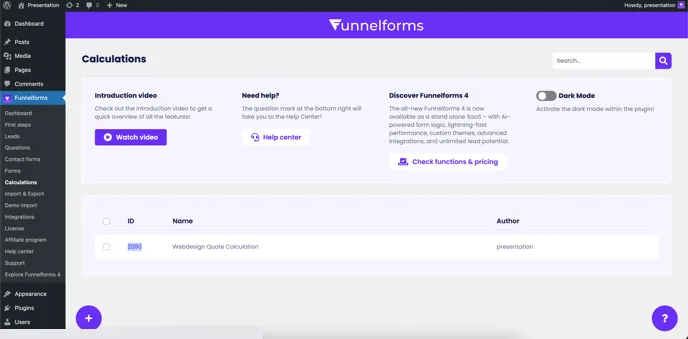
To show your users the calculation result of their answers, an HTML content question is required. First copy the ID of your calculation:
Then create a new HTML content question and insert the ID of the calculation into the HTML field:
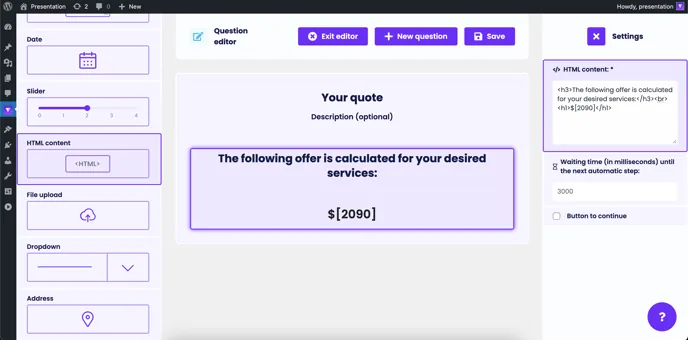
Then click on “Save” and add the HTML question to your form in the form editor. Make sure that the calculation result for the user is only displayed at the end of the form after the questions have been answered, otherwise the calculation will be incomplete or incorrect.
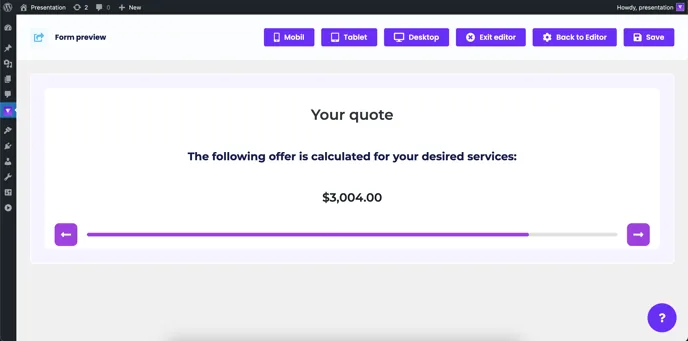
Depending on the HTML adjustments, the result should then be displayed to the user in roughly this way:
To create a new HTML content question: <https://help.funnelforms.io/en/html-content>