Automation tools can query the forms and new entries of your website if you give them an access token. The token is a secret key that you create for each tool separately and can revoke at any time. The access only reads; nothing can be changed through it.
Requirements
- Funnelforms Pro. This feature is not included in Funnelforms Free. Free has no Interfaces tab in the settings, and the automation interface does not answer there.
- You may change the settings and see entries. Administrators always may do both.
- The tool can query a web address and send a header along.
Where to find it
Funnelforms → Settings → Interfaces, section Zapier, Make and n8n.
Features at a glance
- A separate token per tool, revocable individually.
- Read access to forms, fields and complete entries.
- Query only new entries with
since. - The same tokens work for AI assistants that speak MCP (read only).
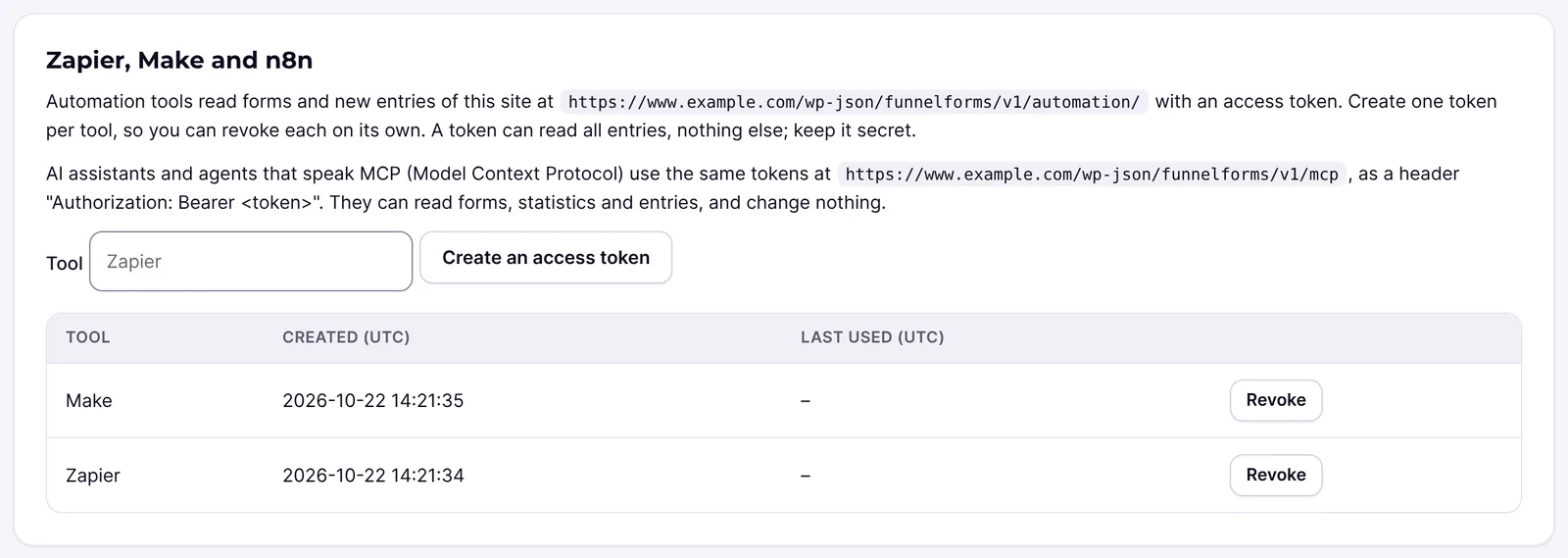
- The token list shows Tool, Created (UTC) and Last used (UTC).
Step by step
- Open Funnelforms → Settings → Interfaces.
- Go to the section Zapier, Make and n8n. The address of the interface is shown there.
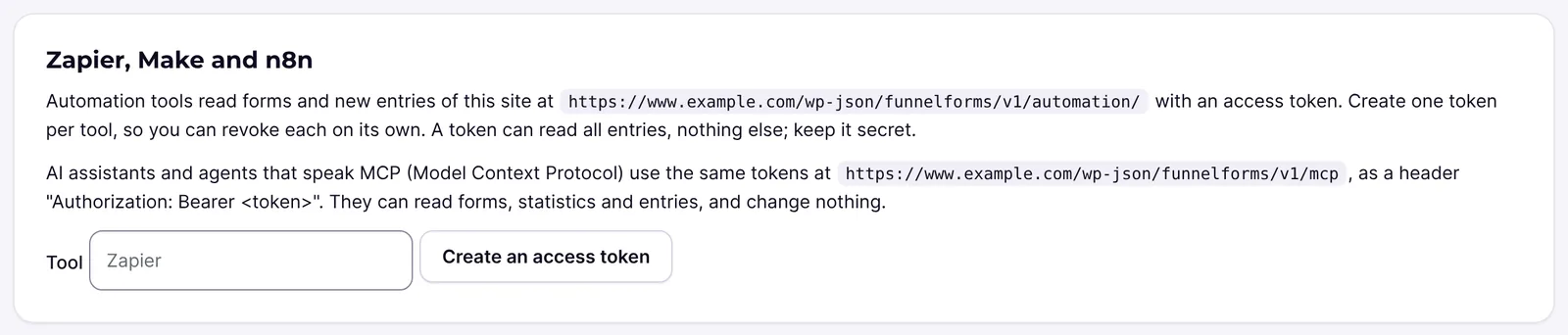
- Enter the name of the tool under Tool, for example "Make".
- Click Create an access token.

- Copy the token right away. It is shown only once.
- In the tool, enter the address of the interface and send the token as the header
Authorization: Bearer ...orX-Funnelforms-Token. - As a test, query
automation/me. The answer names the website, the token name and the user. - Revoke the token with Revoke when you no longer use the tool.
How it works
What can the tool query?
The routes are under funnelforms/v1/automation. They only read:
| Route | Answer |
|---|---|
automation/me | Website, name of the token and user, for the connection test. |
automation/forms | All forms with id, legacyId, title, renderer and status. |
automation/forms/<id>/fields | The fields of the current version with key, label and type. |
automation/entries | Complete entries, newest first. With form (form ID), since and limit (1 to 100, default 25). |
An entry contains, among others, id, form, createdAt, leadStatus, locale, sourceUrl, values and labels (each by the keys of the fields), hiddenFields and utm. Lists are joined with ", ".
Example with curl:
TOKEN="<your-token>"
curl -H "Authorization: Bearer ${TOKEN}" "https://example.org/wp-json/funnelforms/v1/automation/entries?limit=5"
The exact address of your website is shown in the section Zapier, Make and n8n.
How do I query only new entries?
Remember the highest id you have seen and query with since. You then get only entries with a higher number.
With double opt-in, an entry can be confirmed after newer ones. Tools that query with since can miss it. In that case, query the latest entries without since.
How is the token protected?
The token starts with ffxt_. Funnelforms only stores a hash of it. It acts on behalf of the user who created it and stops working when you revoke it or when that user may no longer see entries. Creating and revoking are logged. 600 requests per address in ten minutes are allowed, after that the interface answers with 429.
What about Zapier and Make from Funnelforms 3?
Existing Zaps and scenarios from Funnelforms 3 keep running, through the mirrored leads, see CRM connections and integrations from Funnelforms 3. The interface here is meant for new connections.
Are there ready-made modules for Zapier, Make or n8n?
The plugin cannot prove that. It provides the interface; whether a tool offers a ready-made block for it, you see in the tool itself.
What about AI assistants?
Assistants that speak MCP (Model Context Protocol) use the same tokens at the MCP address shown in the section, as the header Authorization: Bearer <token>. They can read forms, statistics and entries and change nothing.
Best Practices
- Create a separate token for each tool, so you can revoke it individually.
- Give the token a name that names the tool.
- Store the token only in the tool, never in forms, mails or chats.
- Revoke tokens you no longer need.
Troubleshooting
| Problem | Cause | Solution |
|---|---|---|
| Answer 401 "The access token is not valid." | Token wrong, revoked, or the user may no longer see entries. | Create a new token. |
| Answer 429 "Too many attempts." | More than 600 requests in ten minutes. | Wait a few minutes and query less often. |
| The token is no longer shown | It is shown only once. | Revoke it and create a new one. |
| An entry is missing in the query | Only complete entries appear; entries with double opt-in wait for the confirmation. | Wait for the confirmation or query without since. |
| Leads of a form that still runs on Funnelforms 3 are missing | They appear once the hourly import has copied them. | Wait for the next run. |
Tips
- For a push message on every new entry, webhooks are a better fit, see Webhooks.
- You learn the keys of
valuesandlabelsfromautomation/forms/<id>/fields.
FAQ
Can a token change or delete entries? No. The interface only reads.
Who can create tokens? Users who may change the settings and see entries.
Do I have to renew the token? No, it stays valid until you revoke it or the user loses the rights.
Can I query entries of a single form? Yes, with the parameter form and the form ID.