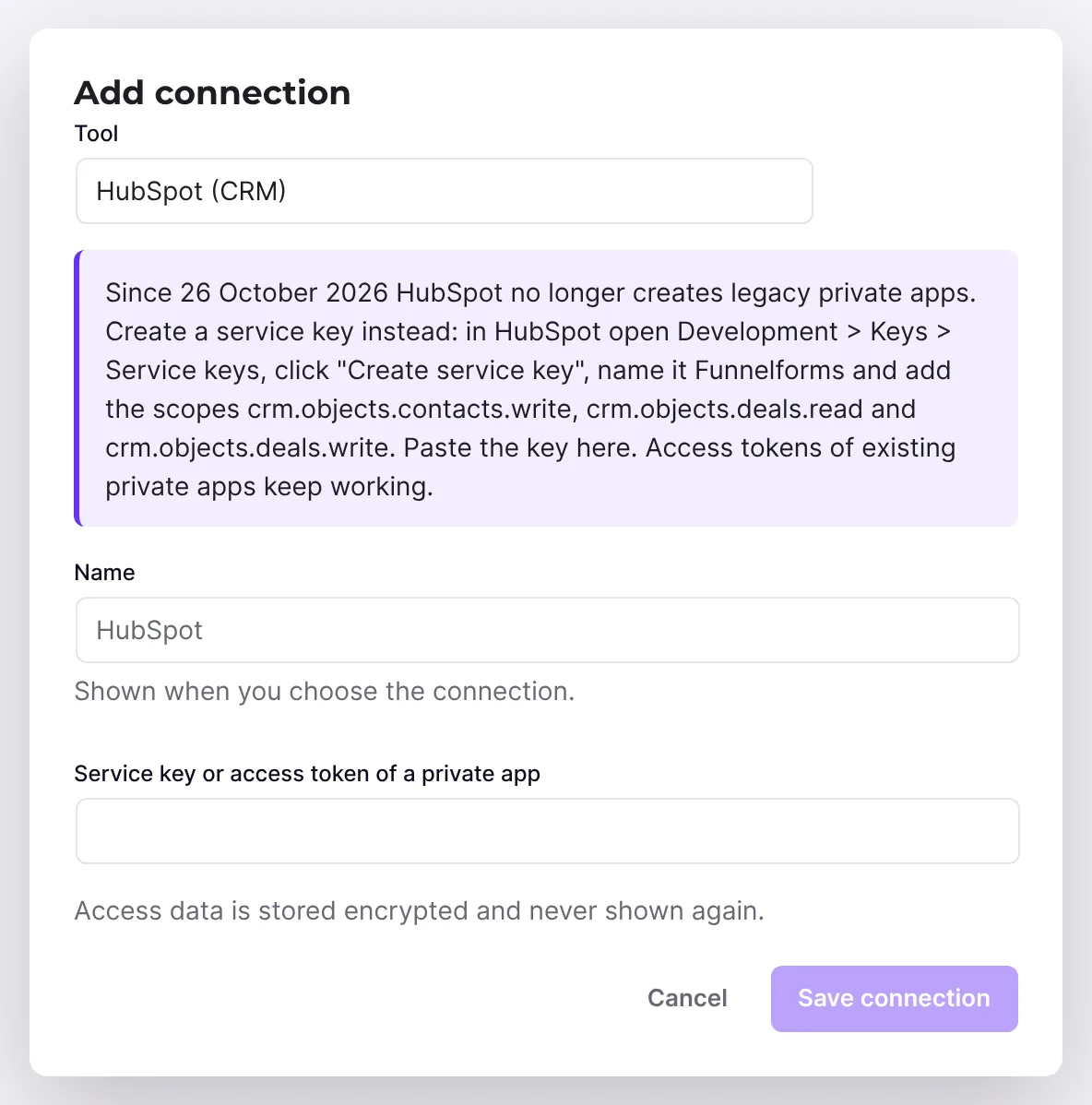
Funnelforms creates a contact and a deal in HubSpot for every entry. For this it needs an access key from your HubSpot account. From 26 October 2026, HubSpot no longer allows new legacy private apps in existing accounts, and in new accounts since 28 September 2026. You therefore create new access as a service key. This article shows you how and what happens to your current access.
Requirements
- Funnelforms Pro. This feature is not included in Funnelforms Free. Free names CRM tools in the editor only in the note with the Pro badge.
- A HubSpot account in which you are a super admin or have the developer tools permission.
- To enter the key in Funnelforms you need the right to change settings.
Where to find it
- In HubSpot: Development, then Keys → Service keys in the left sidebar.
- In Funnelforms: Funnelforms → Integrations.
Features at a glance
- Contact: e-mail, first name, last name, phone, company and website from the form.
- Deal: name, pipeline and stage, the answers as description, associated with the contact.
- Existing contact: if the e-mail address already exists in HubSpot, Funnelforms attaches the deal to that contact.
- Pipelines and stages: Funnelforms can read them from your account so you can choose them.
Step by step
- Open your HubSpot account and click Development.
- In the left sidebar, choose Keys → Service keys.
- Click Create service key in the top right and enter a name, for example "Funnelforms".
- Click Add new scope and choose these scopes: -
crm.objects.contacts.write, so Funnelforms can create contacts, -crm.objects.deals.write, so Funnelforms can create deals, -crm.objects.deals.read, so Funnelforms can read pipelines and stages. - Click Update, check the list and click Create in the top right. Confirm the dialog.
- Open the key's details, click Show and then Copy.
- In Funnelforms, open Funnelforms → Integrations and enter the key in the connection for HubSpot under Service key or access token of a private app. Then, in the form, choose the action CRM, newsletter or spreadsheet in the After sending tab of the contact step and HubSpot under Tool.
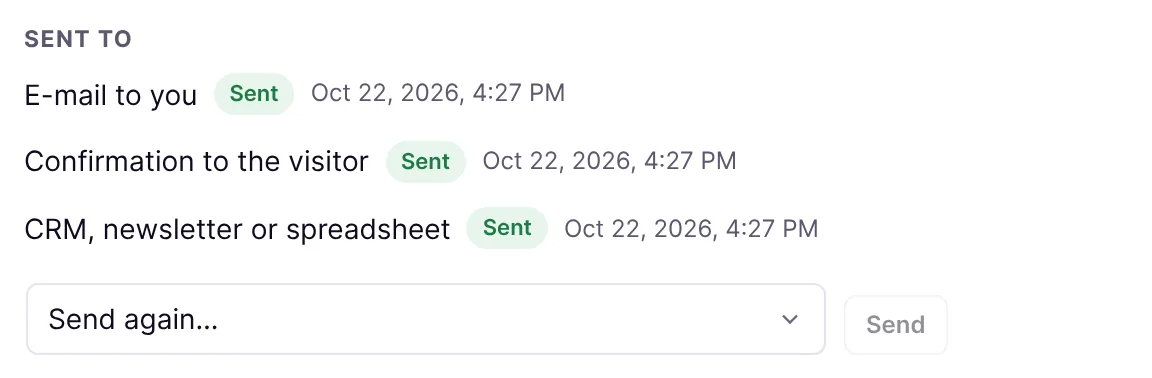
- Submit a test entry and check under Sent to in the entry whether the transfer shows Sent.
How it works
Does my access from Funnelforms 3 keep working?
Yes. HubSpot says that existing legacy private apps keep working as they are. Funnelforms 5.0 takes over the access during the migration and sends it the same way Funnelforms 3 did. You don't have to do anything.
Why a service key?
HubSpot recommends service keys as the replacement for legacy private apps when a system sends data to HubSpot. Funnelforms sends the key the same way as a private app token, so both work.
What changes for HubSpot in Funnelforms 5.0?
Funnelforms 5.0 uses HubSpot's current CRM interface (v3) instead of the old one, which HubSpot stops supporting in September 2027. The scopes stay the same.
Best Practices
- Give the key only the three scopes above.
- Name the key so you can find it later, for example after the website.
- HubSpot recommends rotating a service key every six months.
Troubleshooting
| Problem | Cause | Solution |
|---|---|---|
| Service keys is missing in HubSpot | You lack the developer tools permission. | Get the permission or ask a super admin to create the key. |
Transfer "Failed", code permanent:contact:http_401 | Key wrong, expired or rotated. | Copy the current key from HubSpot and enter it again. |
Code ends in http_403 | The key lacks a scope. | Add the scopes from the guide in HubSpot. |
Code permanent:credentials_missing | No key is stored for HubSpot. | Enter the key. |
| Contact exists, deal is missing | The deal failed, for example because of a wrong stage. | Check the code under Sent to and the choice of pipeline and stage. |
Tips
- If you rotated a key in HubSpot, enter the new key in Funnelforms before the old one expires.
- You repeat a failed transfer in the entry with Send again ….
FAQ
Do I have to change anything as an existing customer? No. Your access from Funnelforms 3 keeps working.
Can I keep using a private app? Existing legacy private apps, yes. HubSpot no longer creates new ones in existing accounts from 26 October 2026.
Where do I see whether HubSpot received the entry? In the entry under Sent to and in HubSpot on the contact.