Change your payment method for your active Funnelforms Pro license. Available payment methods are credit card and PayPal.
Funnelforms Pro is a subscription product. You can pay for the license using the following payment methods:
- Credit card / debit card
- PayPal (credit card, direct debit)
- Apple Pay
- Google Pay
You will find all your booked licenses in the member area under the menu item “License management Paddle”.
Open License management Paddle
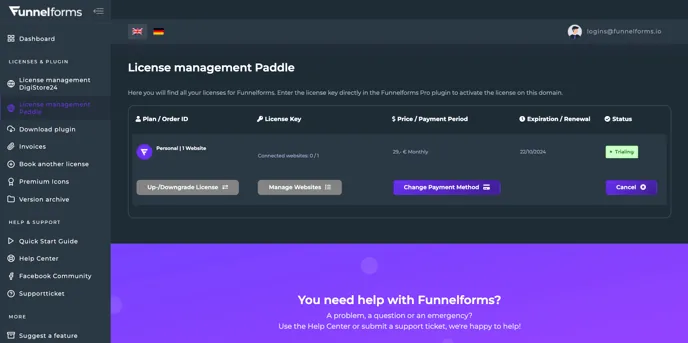
Click on the “Change Payment Method” button next to the license where you want to update the payment method.
This will open a page with the settings for the payment method.
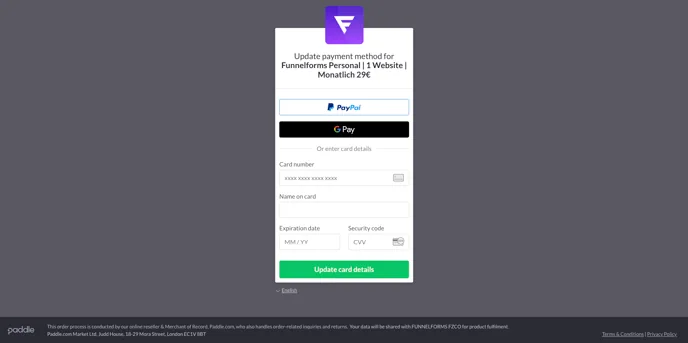
Select your desired payment method and enter your new payment details. Then click on the “Update card details” button. You may be asked for further credit card authentication.
You have now successfully changed the payment method for the selected Funnelforms Pro license.