Getting Started with Funnelforms: Your Quick Introduction
Welcome to Funnelforms — the platform that lets you build interactive forms and funnels without writing a single line of code. This article gives you the lay of the land: what Funnelforms is for, the building blocks you will use every day, and how to become productive in a few steps.
Prerequisites
- An active Funnelforms account (trial or paid plan).
- A modern browser (recent Chrome, Firefox, Safari or Edge).
- Optional: your own domain if you want to serve forms under your brand later.
Where to find it
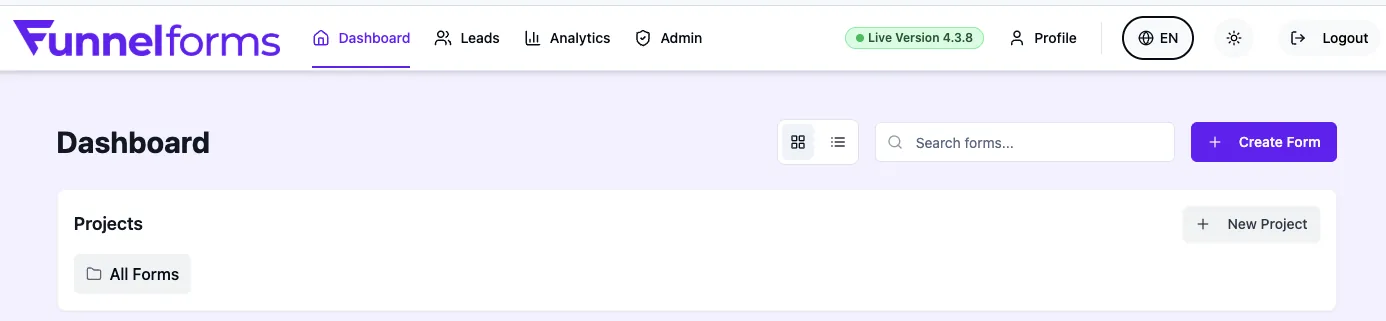
After signing in you land in the Dashboard. Your forms are listed in the form overview there. Leads and Analytics give you the matching insights. Account, domain or plan settings are managed in your Profile.
Feature overview
- Form editor: drag-and-drop builder with logic branching, jump conditions and multi-language copy.
- Leads & analytics: incoming responses, conversion rate, drop-off points and traffic replay.
- Integrations: webhooks, Zapier, Make, email notifications, WhatsApp Business and calendar booking.
- Domains & embedding: connect your own domain, iframe embeds with auto-resize, full-width support.
- Team & roles: invite members, assign roles, control access.
Depending on your plan, some features or limits may vary.
Step by step: getting started
- Create an account and confirm your email address.
- In the dashboard click Create form and choose a blank form or a template.
- Add fields, configure logic and adjust the style.
- Assign a domain and publish the form.
- Copy the embed code or use the shared link.
- Review responses under Leads and track performance under Analytics.
How Funnelforms is structured
Funnelforms follows a clear hierarchy: Projects group related Forms. Each form has Fields, optional Logic nodes for branching, and produces Leads as soon as someone responds. Domains, Integrations and Notifications are configured per form.
Best practices for the start
- Begin with a small, well-scoped form (3–5 fields) and grow from there.
- Sketch required fields and branching logic on paper before building them in the editor.
- Enable email notifications so you never miss a lead.
- Test the form on both desktop and mobile before going live.
Troubleshooting
- Login does not work: check that the email address is confirmed and the CAPTCHA verification was completed.
- Form does not appear: make sure the form is published and assigned to an active domain.
- No leads visible: open Dashboard → Leads and review the active filters.
Tips
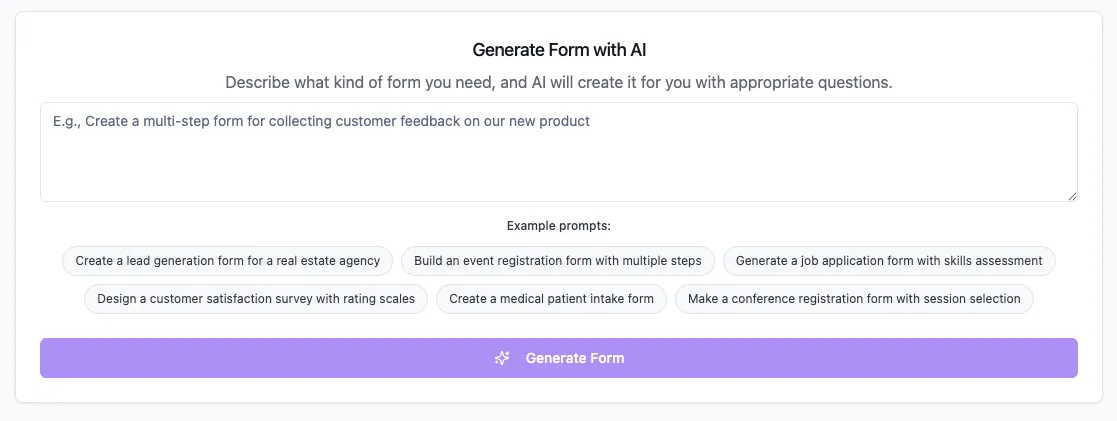
Tip: Use the AI form generator to create a first form from a short description. You save the initial build and only fine-tune afterwards.
FAQ
Do I need technical knowledge?
No. The editor is visual and all key actions work via clicks and drag-and-drop.
Can I try Funnelforms for free?
Yes. The trial lasts 14 days and includes the full feature set. After it ends the free-plan limits apply (1 domain, 1 form, 1 team member, 10 MB per file) until you choose a paid plan.
Where do I publish my form?
Every form is served through an assigned domain. You can use the Funnelforms default domain or add your own.
How many forms can I create?
The number of active forms depends on your plan. On the free plan one active form is possible.