Connect branches and paths cleanly
Edges between nodes define how a lead travels through your funnel. Without conditions every lead follows the default path. With conditions, parallel paths emerge that diverge based on the lead's answer. This article shows how to build clean branches and how to avoid dead-end paths.
Requirements
- At least three fields in the form.
- A basic understanding of conditions (see linked article).
Where to find it
Forms → [Form] → Logic. Edges are drawn between nodes in the flow builder.
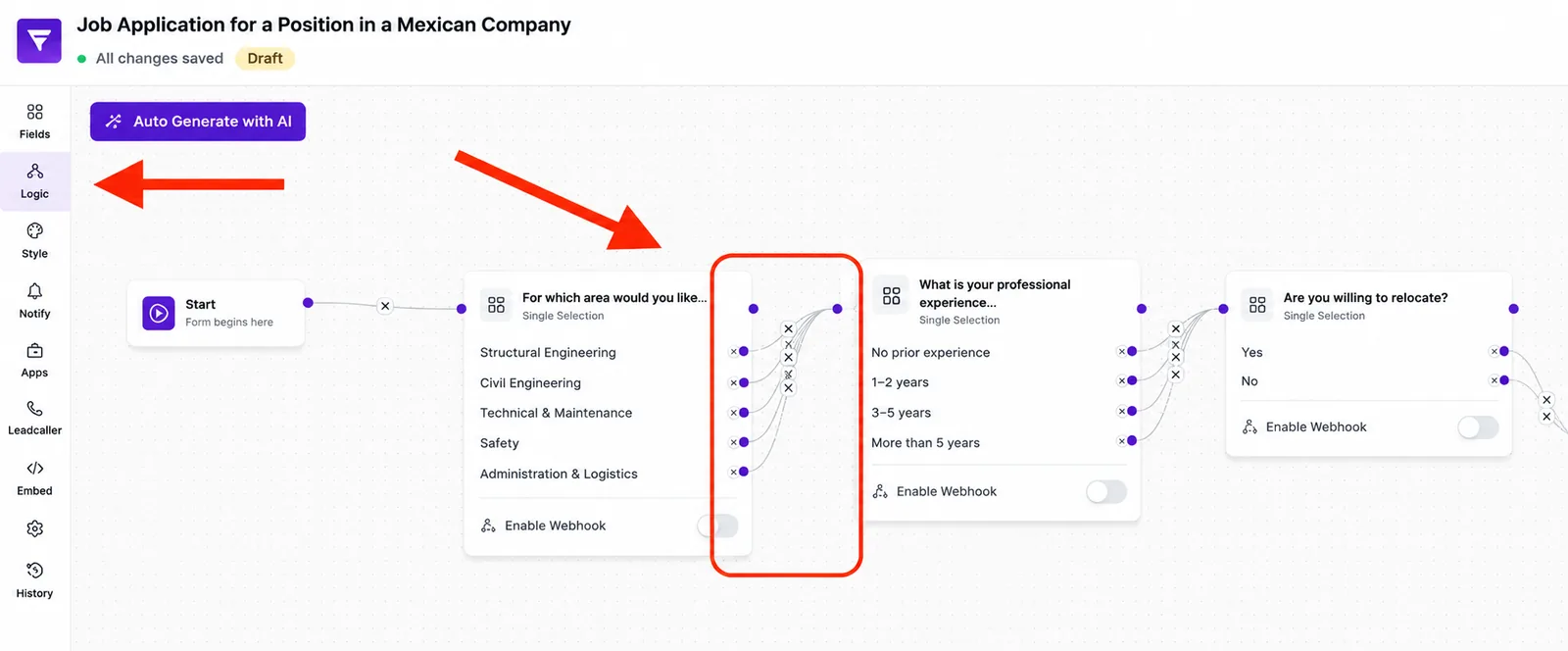
How branches work
- Default edge: any edge without a condition. Used when no condition matches.
- Conditional edge: created automatically once you add a condition on the source field. Connect it to the target field.
- Parallel paths: multiple conditional edges on the same source field create distinct paths.
Step-by-step
- Connect the default path end-to-end, from the first field all the way to submit.
- Add the first condition on the branching field and connect it to the alternative target.
- Repeat for every other alternative answer.
- Make sure every path reaches an endpoint — either the submit node, a shared follow-up node or an action node (e.g. webhook/redirect).
Best practices
- Keep parallel paths short — three to five fields, then re-converge at submit or an action node.
- Plan the convergence point deliberately — every answer lands in a single record anyway.
- Avoid paths that overtake each other — Funnelforms evaluates conditions sequentially.
Common pitfalls
- A path without an edge to submit ends in an incomplete submission — the lead drops off.
- Adding an edge without a condition modifies the default path.
- There is exactly one default edge per node (used when no condition matches). Any number of conditional edges may be added in addition.
Tips
Tip: If a path diverges only briefly, route it back to the main flow quickly — it saves maintenance.
Note: Submit is the common endpoint for standard paths and fires exactly once. Paths may alternatively terminate at an action node.
FAQ
Can I merge paths again later on?
Yes. Simply draw an edge from both paths to the same follow-up node.
What happens to fields the lead never visits?
They stay empty in the answer. In the analytics you'll see no value recorded.
Can I end a path early?
Yes. Connect the path's last node directly to the submit node or an action node.