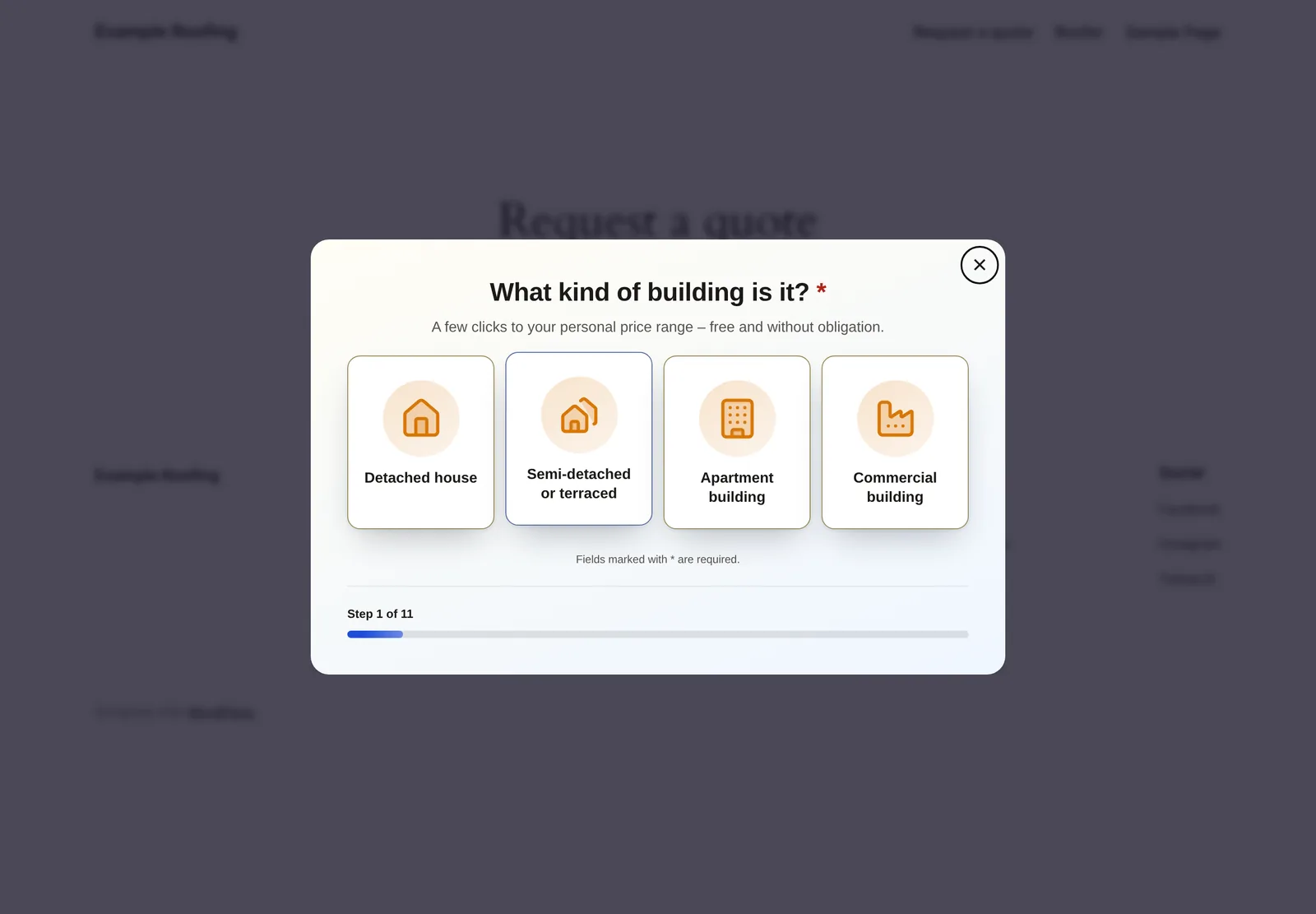
Instead of in the middle of the page, your form can appear in a window above the page (popup). It opens after a delay, on a click on a button or link, after scrolling, or when visitors are about to leave the page. Alternatively, a button sits in a corner of your website and opens the form on a click. This helps when you want to show a form without giving up space in the content of the page.
Requirements
- Funnelforms Pro. This feature is not included in Funnelforms Free. There the block and the Elementor widget show no Display area, and the form always appears right in the page.
- The form is published and embedded on the page (block, Elementor widget or shortcode).
- For Popup after scrolling, Popup when the visitor is about to leave and Button in a corner of the page, the form must run on Funnelforms 5. Forms that still run on Funnelforms 3 show these three options right in the page. Delay and click also work with Funnelforms 3.
Where to find it
- In the block Funnelforms: the block sidebar, area Display.
- In the Elementor widget Funnelforms: section Form, field Display.
- In the shortcode: as attributes (see the table below).
- In the builder: Embed at the top → Popup or Widget. There you set the same values and copy the finished shortcode with Copy.
Features at a glance
The Display field offers six options:
- In the page: the form appears right in the content. This is the default.
- Popup after a delay: opens by itself after the time you enter under Delay (seconds) (default 5).
- Popup on a click: opens when visitors click a button or link with a certain CSS class.
- Popup after scrolling: opens once visitors have scrolled a certain share of the page.
- Popup when the visitor is about to leave: opens on a movement that suggests leaving the page.
- Button in a corner of the page: a button at the edge of the page opens the form.
Step by step
Popup after a delay
- Under Display, choose Popup after a delay.
- Under Delay (seconds), enter after how many seconds the popup should appear.
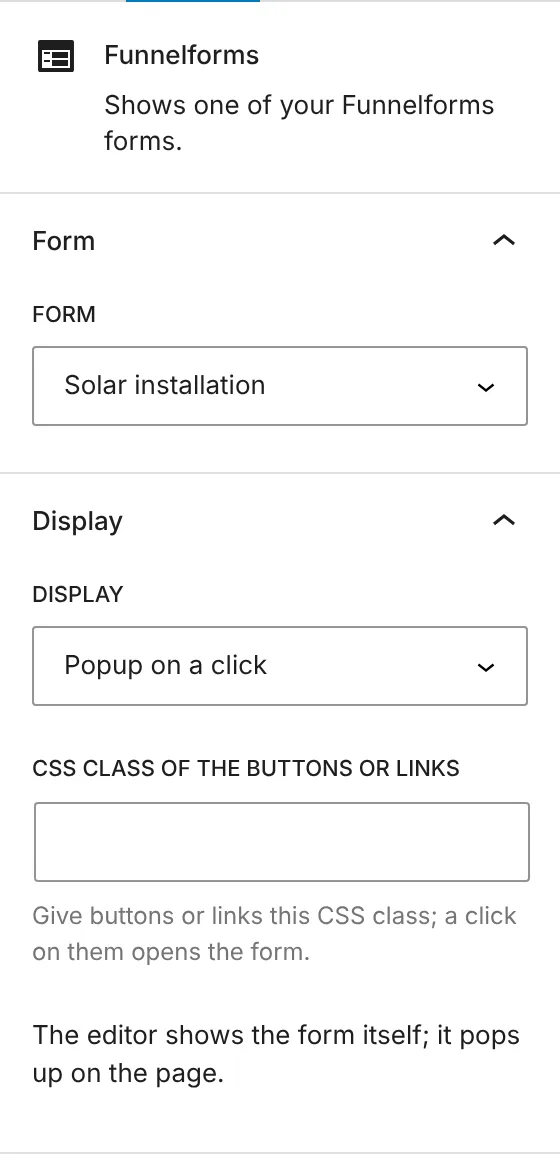
- If needed, set under Do not show again for (hours) how long the popup stays away after it was closed.
- Save or publish the page.
Popup on a click
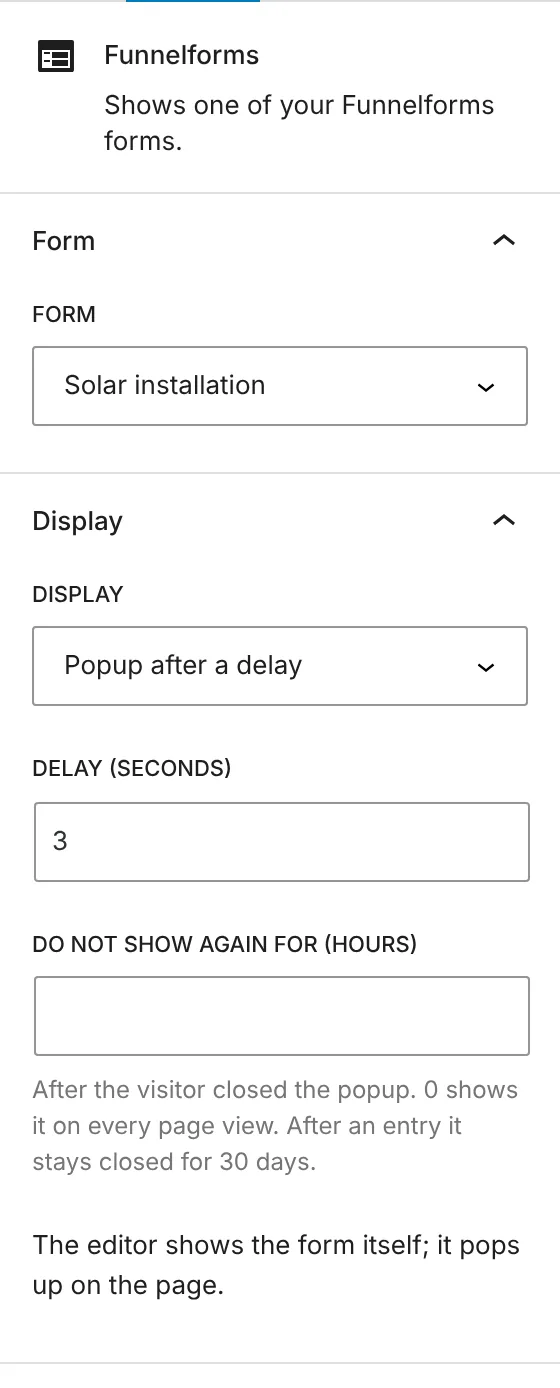
- Under Display, choose Popup on a click.
- Under CSS class of the buttons or links, enter a name, for example
open-form(without a dot). - Give the button or link that should open the form this CSS class. A click on it opens the form.
- Save or publish the page.
Popup after scrolling
- Under Display, choose Popup after scrolling.
- Under Opens after this share of the page (%), enter a value from 1 to 100 (default 50).
- If needed, set Do not show again for (hours).
Popup when leaving the page
- Under Display, choose Popup when the visitor is about to leave.
- If needed, set Do not show again for (hours).
Button in a corner
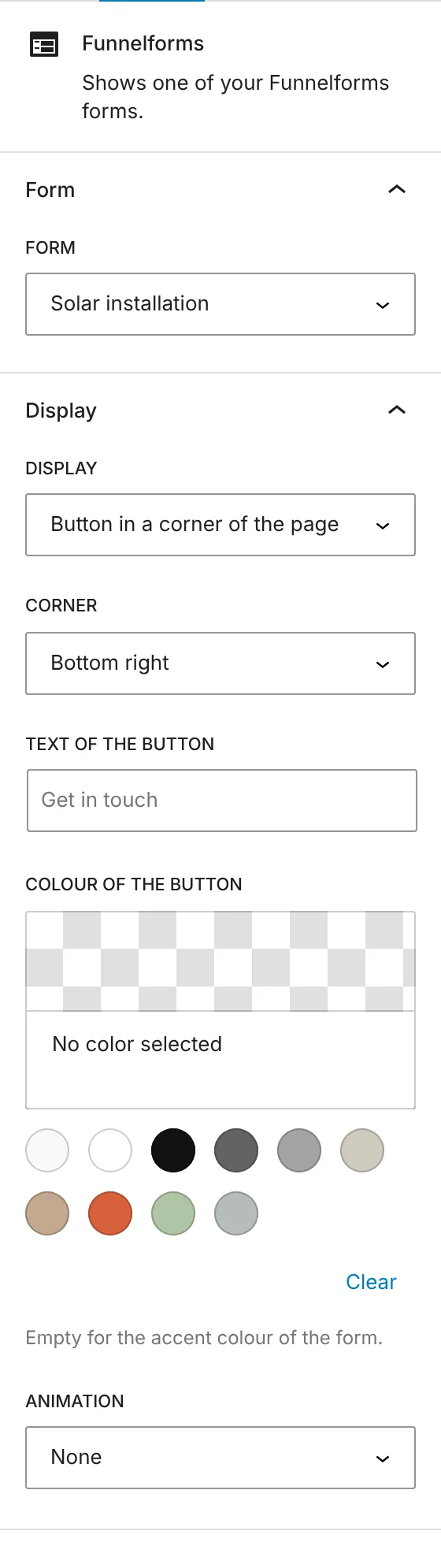
- Under Display, choose Button in a corner of the page.
- Under Corner, choose where the button sits: Bottom right, Bottom left, Top right or Top left.
- Under Text of the button, enter the text. If the field stays empty, the button reads "Get in touch" (in the website's language).
- Under Colour of the button, choose a colour. Without a choice, the button takes the accent colour of the form.
- Under Animation, choose None, Pulse, Bounce or Shake.
How it works
How is a popup closed?
Visitors close the popup with the close button (×), with the Escape key or with a click next to the form. Their entries so far are discarded. The next time it opens, the form starts from the beginning.
What does "Do not show again for (hours)" mean?
It applies to popups that open by themselves (delay, scrolling, leaving). After visitors closed the popup, it stays closed for this many hours. With 0 it appears on every page view. The default is 24 hours for scrolling and leaving and 0 for the delay. If a visitor sent an entry through the popup, it stays closed for 30 days. Popups on a click and the corner button always open when visitors click them. The browser keeps the pause in its local storage; nothing personal is stored there.
How does "Popup when the visitor is about to leave" work?
Detection starts only after three seconds on the page. On a computer it fires when the mouse pointer leaves the page at the top edge, towards the tabs and the address bar. On touch devices it fires when visitors quickly scroll back up after reading.
What happens with "Popup after scrolling" on a short page?
If the page cannot be scrolled, the popup opens after about one second.
What happens with a closed form?
A form that is closed (for example because its time window has ended) never opens by itself. On a click or through the corner button, the window opens and shows the message that the form is closed.
What does the editor show?
In the block editor and in Elementor you see the form itself. A popup never opens there.
What are the shortcode attributes?
| Effect | Attributes |
|---|---|
| Popup after a delay | popup_by_delay="1" popup_delay="3000" (delay in milliseconds) or popup="delay" popup_delay="3000" |
| Popup on a click | popup_by_click="1" popup_click_class="open-form" or popup="click" popup_click_class="open-form" |
| Popup after scrolling | popup="scroll" popup_scroll="50" |
| Popup when leaving | popup="exit" |
| Pause in hours | popup_pause="24" (at most 8760) |
| Button in a corner | widget="bottom-right" (also bottom-left, top-right, top-left), plus widget_text, widget_color (hex colour) and widget_animation (pulse, bounce, shake) |
The block and the widget take the delay in seconds and write the milliseconds into the shortcode themselves.
What happens when the website switches to Funnelforms Free?
Funnelforms Free ignores all popup settings and shows the form right in the page. This applies to the block, the widget and the shortcode. In Free the block and the Elementor widget show no Display field. If you switch back to Pro, the saved settings apply again.
Best practices
- Use popups that open by themselves sparingly and give visitors some rest with a pause of a few hours.
- Use the popup on a click for targeted calls like "Request a quote": visitors decide themselves.
- Keep the text of the corner button short. It can be at most 60 characters long.
- Test the popup in a private browser window. No pause is stored there yet.
Troubleshooting
| Problem | Cause | Solution |
|---|---|---|
| The popup no longer appears. | It was closed or an entry was sent, and the pause is running. | Wait for the pause to end, test in a private browser window, or set Do not show again for (hours) to 0. |
| The popup on a click does not open. | The CSS class is missing on the button or does not match the field. | Enter the same class name in the field and on the button, without a dot. |
| The form sits right in the page although a popup option is chosen. | For Popup on a click no CSS class is entered, the form still runs on Funnelforms 3 and the option is not supported there, or Funnelforms Free is active on the website. | Enter a CSS class. Publish the form on Funnelforms 5 if you need scrolling, leaving or the corner button. Popups need Funnelforms Pro. |
| The block or the Elementor widget has no Display. | Funnelforms Free is active on the website. | Popups are part of Funnelforms Pro. |
| No popup appears in the editor. | The editor always shows the form itself. | Check the popup on the published page. |
Tips
- With Popup after a delay, the block, the Elementor widget and the shortcode have no pause by default. Set a value yourself if visitors would see the same popup on several pages. In the Embed workspace, the pause starts at 24 hours for all popups that open by themselves.
- In the Embed workspace, Popup on a click comes with the CSS class
funnelforms-open. You can change it. - The form in the popup starts from the beginning every time it opens. Visitors who close it by mistake have to start again.
- For popups the form also loads the style sheet
runtime-more.css. Add it to the exclusions of your optimization plugin if the popup appears without its styling.
FAQ
How long does a popup stay closed after an entry? 30 days, for popups that open by themselves.
Does the popup store data about visitors? Only the pause, in the browser's local storage. It holds no personal data.
Can I give the corner button a different label? Yes, under Text of the button. Without an entry, the text is "Get in touch".
Does this work with a form on Funnelforms 3? Delay and click yes. Scrolling, leaving and the corner button show the form right in the page there.