The field types Choice and Dropdown are made of answers. This article shows how to create and sort answers, decorate them with icons or images and set how the answer tiles look. It is for everyone building choice questions.
Requirements
- Answers, icons, images and their look are available in Funnelforms Free and Funnelforms Pro.
- For images from the media library you need the WordPress right to upload files.
- The columns Number (for calculations) and Right (for a knowledge quiz) are Pro only, because calculations and the quiz are part of Pro.
Where to find it
Funnelforms → Forms → open a form → Structure. Select a step with a Choice or a Dropdown. On the right, the section Answers appears under Properties. For Choice you set the look under Look of the answers.
Features at a glance
- Add, remove and label answers one by one
- Change the order by dragging or with the arrow keys
- Paste a list: many answers at once
- A value per answer that is sent with the entry
- Per answer a number for calculations or the Right mark in a quiz (Pro only)
- Icons from the Lucide set with a search in German and English (Choice only)
- Images from the media library (they appear only with Choice; a Dropdown shows text only)
- Layout as tiles or list, with size and position of icons and images
Step by step
Create and sort answers
- Select the step with the Choice.
- In the section Answers, click Add answer.
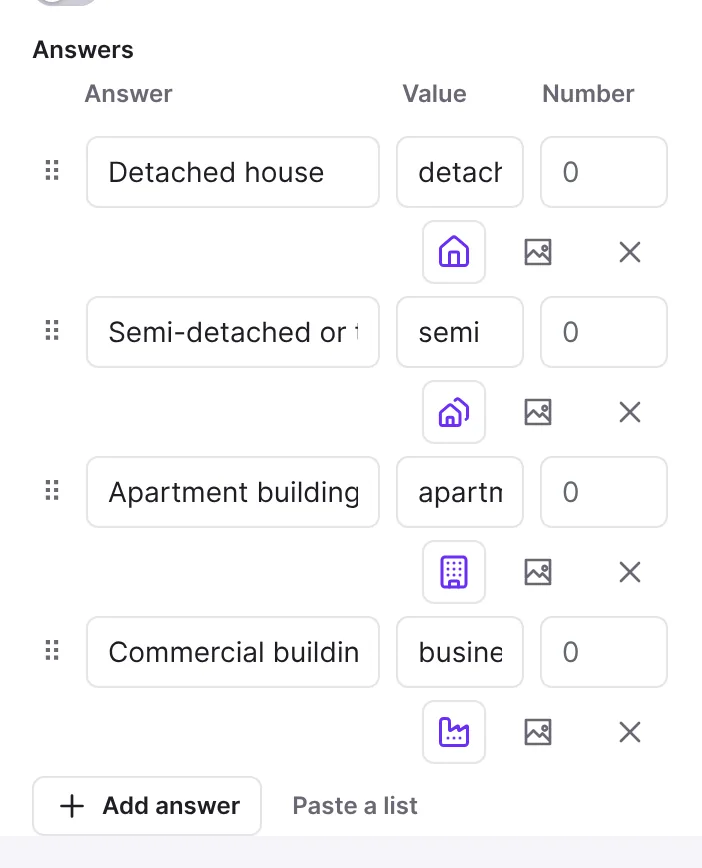
- Write the text of the answer in the field Answer 1, Answer 2 and so on.
- Drag an answer by the handle on the left (Move answer %d) to a new place. With the keyboard, select the handle and press the up or down arrow.
- Remove an answer with Remove answer. If rules asked for this answer, a notice with Undo appears (see below).

Many answers at once
- Click Paste a list.
- In the dialog Paste a list of answers, paste the answers: one per line, or separated by commas or semicolons.
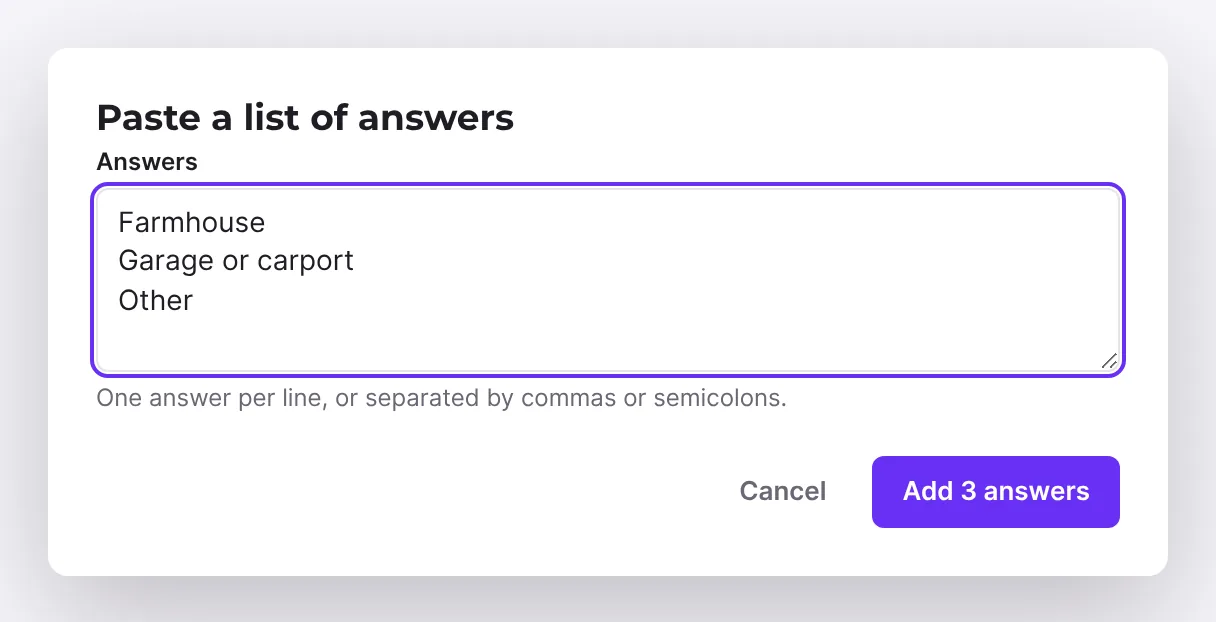
- Click the button Add … answers.
Add an icon
- On the answer, click the symbol Choose an icon for answer %d.
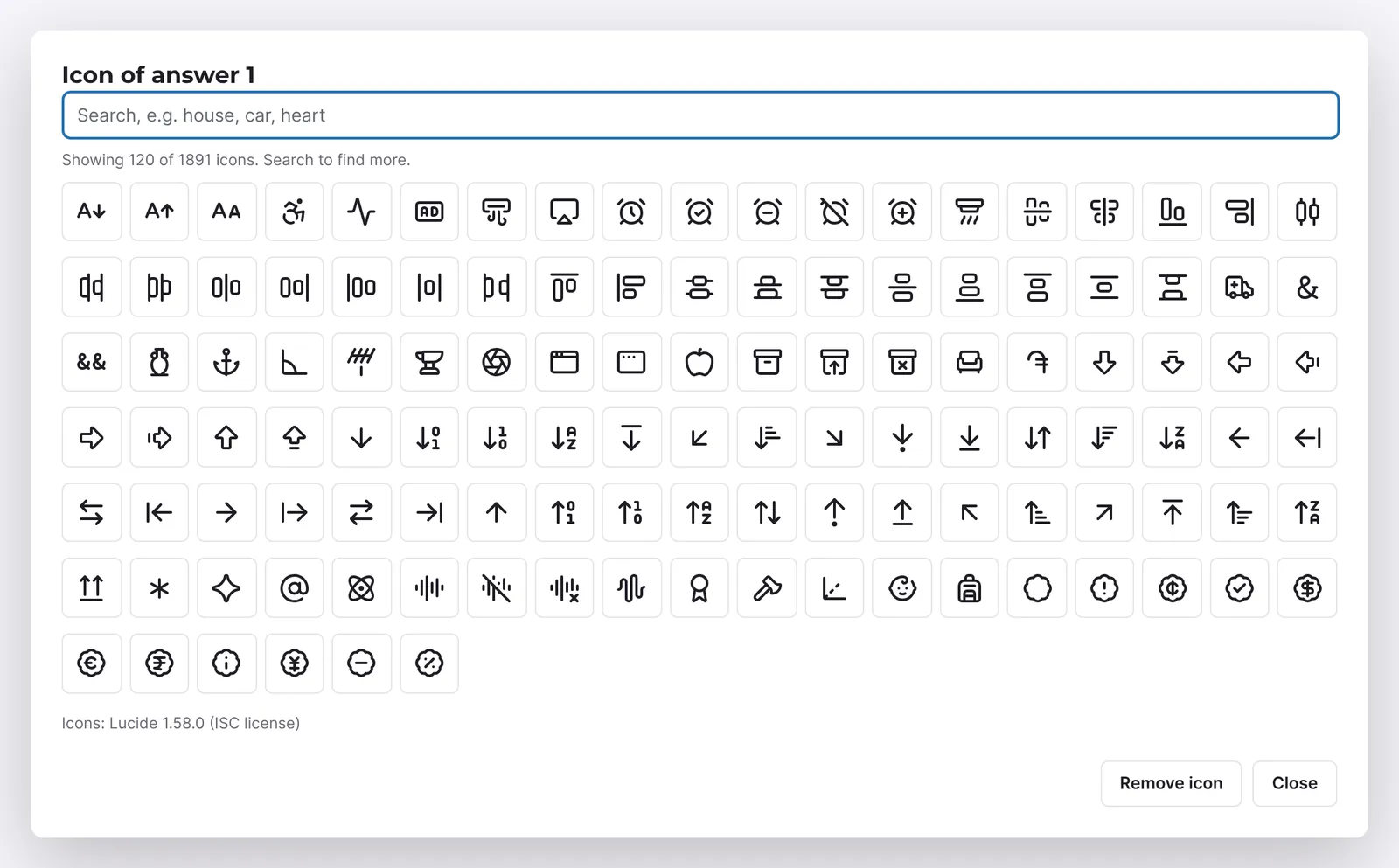
- Type a term into the search box, for example "house", "car" or "heart". The search understands German and English words.
- Click the icon you want. The dialog closes.
- To change it, click Change the icon of answer %d. Remove icon takes it away again.
Add an image
- On the answer, click the image symbol Choose an image for answer %d.
- Pick an image in the media library and confirm.
- Change the image of answer %d replaces it; the small cross on the thumbnail (Remove image) deletes it.
Look of the answers
- Open Look of the answers.
- Under Layout on large screens choose Tiles, List or List in two columns.
- For tiles, set Tiles per row on large screens: As many as fit or 1 to 4.
- Choose the Layout on phones (List or Tiles) and, for tiles, the Tiles per row on phones (1 or 2).
- Set the Height of the answers (Small, Medium, Large) and the Position of icons and images (Above the text, Left of the text, Right of the text, Below the text).
- With Images fill the answer an image fills the whole tile. Hide icons and images turns them off.
How it works
What is the value of an answer for?
Besides the text, each answer has a Value. It is sent with the entry (tooltip: Value sent with the entry). The first answers of a new question carry their number as the value. Visitors do not see the value.
When does a "Number" or "Right" column appear? (Pro only)
As soon as the form has calculations or an answer carries a number, the column Number (Number for calculations) appears, where you give answers values for calculations. In a knowledge quiz the column Right replaces it: you mark the right answers. In Funnelforms Free you create no calculations and no quiz, so the columns appear there only in forms that already carry such numbers, for example from an import.
What happens when you remove an answer?
The editor also removes the rules that asked for this answer. A path that asked only for this answer goes away; a field that appeared only on this answer is always shown again. A notice at the bottom then says "Deleted. Rules asked for it, so the logic changed: …" with the numbers. Undo brings back the answer and its rules; the notice disappears after about 12 seconds.
How do visitors see the answers?
For Choice the answers appear as large tiles: icons sit in a tinted circle, tiles lift slightly when you hover over them, and a chosen answer gets a check mark. With As many as fit, rows stay even: four answers that don't fit one row show two by two instead of three and one. In the List arrangement, phones show larger icons. In narrow tiles the browser hyphenates long words by the rules of the form's language instead of breaking them anywhere. Tile outlines have a contrast of at least 3:1 against the background. On dark forms the tiles stand out slightly from the card.
Allow several answers
Turn on Several answers allowed to accept more than one answer. You then set At least and At most. A warning appears if the smallest number is above the largest. Choice also has Continue on its own at this number of answers.
Where do the icons come from?
The icons come from the Lucide set (ISC license) that ships with the plugin. The dialog loads it only when it opens. Only the name of the icon is stored. Visitors do not load the whole set, only the icons your form uses.
How does the search work?
The search ranks icons with a matching name first, then names that start with or contain the term, and lastly hits in the keywords. German words are translated into English equivalents, so "Haus" finds the icon "house" and "Umzug" a truck. The dialog shows at most 120 icons at once; a more precise term finds more.
Icon or image: what applies if both are chosen?
An answer carries either an icon or an image. If you choose an image, it replaces the icon, and the other way round.
Icons in contact fields
For the contact fields Name, E-mail address, Phone number and Text you choose an Icon in the field. The choice works as it does for answers.
Best practices
- Use icons or images consistently for all answers of a question so the tiles look even.
- Keep answer texts short; long texts wrap in tiles.
- Use images in a similar format (for example all square).
- Give meaningful values if you evaluate the entries in another application later.
Troubleshooting
| Problem | Cause | Solution |
|---|---|---|
| The button for icons is missing. | Icons exist only for Choice, not for Dropdown. | Use a Choice if answers should have icons. |
| Nothing happens when I click the image symbol. | The media library loads only if your user may upload files. | Ask someone with this WordPress right to insert the image. |
| The icon dialog shows "The icons could not be loaded." | The icons are loaded when the dialog opens, and that failed. | Reload the editor and open the dialog again. |
| The icon dialog shows "No icon fits the search." | The term has no hit. | Try a related or English word. |
| The "Number" column is missing. | The form has no calculation yet, or you use Funnelforms Free. | In Pro, create a calculation under Settings → Calculations. |
| After removing an answer, a path no longer leads where it did. | The path asked for the removed answer and was removed with it. | Click Undo in the notice or add the path again on the Logic tab. |
| A word in a tile is split at an odd place. | Hyphenation follows the form's language. | Check the form's language or shorten the answer text. |
Tips
- You cannot remove the last answer: a question keeps at least one answer.
- Next to the icon symbol, the tooltip shows the English name of the icon.
- You set the size and colour of icons for the whole form under Design: Spacing and sizes → Size of icons and images in answers and More colours → Icons of answers.
FAQ
Can I upload icons of my own? No. For answers you have the Lucide icons and images from the media library.
Can I sort the answers of a dropdown? Yes. Sorting by dragging and with the arrow keys works for Choice and Dropdown.
How do I create many answers quickly? Click Paste a list and paste the answers one per line, or separate them with commas or semicolons.
Can I create answers in several languages? Yes. Choose the language at the top and enter the translated text of the answer.