Are you using another form plugin so far? Funnelforms 5.0 turns each form there into a new Funnelforms form with fields, steps, e-mails and a thank-you page. The new form is a draft, so nothing goes live on its own. The other plugin and its data stay unchanged. This article explains which plugins work, what is taken over and what you set up yourself afterwards.
Requirements
- You have the right to edit forms.
- The import is included in Funnelforms Pro and Funnelforms Free. In Free, some imported forms can be published only after a change (see "What applies in Funnelforms Free?").
- The form is available as an export file or is still on this website. The other plugin may be deactivated, as long as its data is still there.
Where to find it
- Funnelforms → Import in the WordPress menu.
- In the form list with the button From other plugins.
- On the command line with WP-CLI:
wp funnelforms import.

Features at a glance
| Plugin | Export file | Straight from this website |
|---|---|---|
| WPForms (Lite and Pro) | Tools → Export, JSON | yes |
| Gravity Forms | Forms → Import/Export, JSON | yes |
| Ninja Forms 3 | Import/Export, .nff (also the old format) | yes |
| Fluent Forms | Tools → Export Forms, JSON | yes |
| Contact Form 7 | WordPress export of the forms (XML) | yes |
| Formidable Forms | Import/Export, XML | yes |
| Elementor Pro (form widget) | template export, JSON | yes, every form widget on pages, templates and popups |
An export file may be at most 10 MB.
Step by step
- Export the forms in the other plugin as the table shows. If the forms are still on this website, you don't need a file.
- Open Funnelforms → Import.
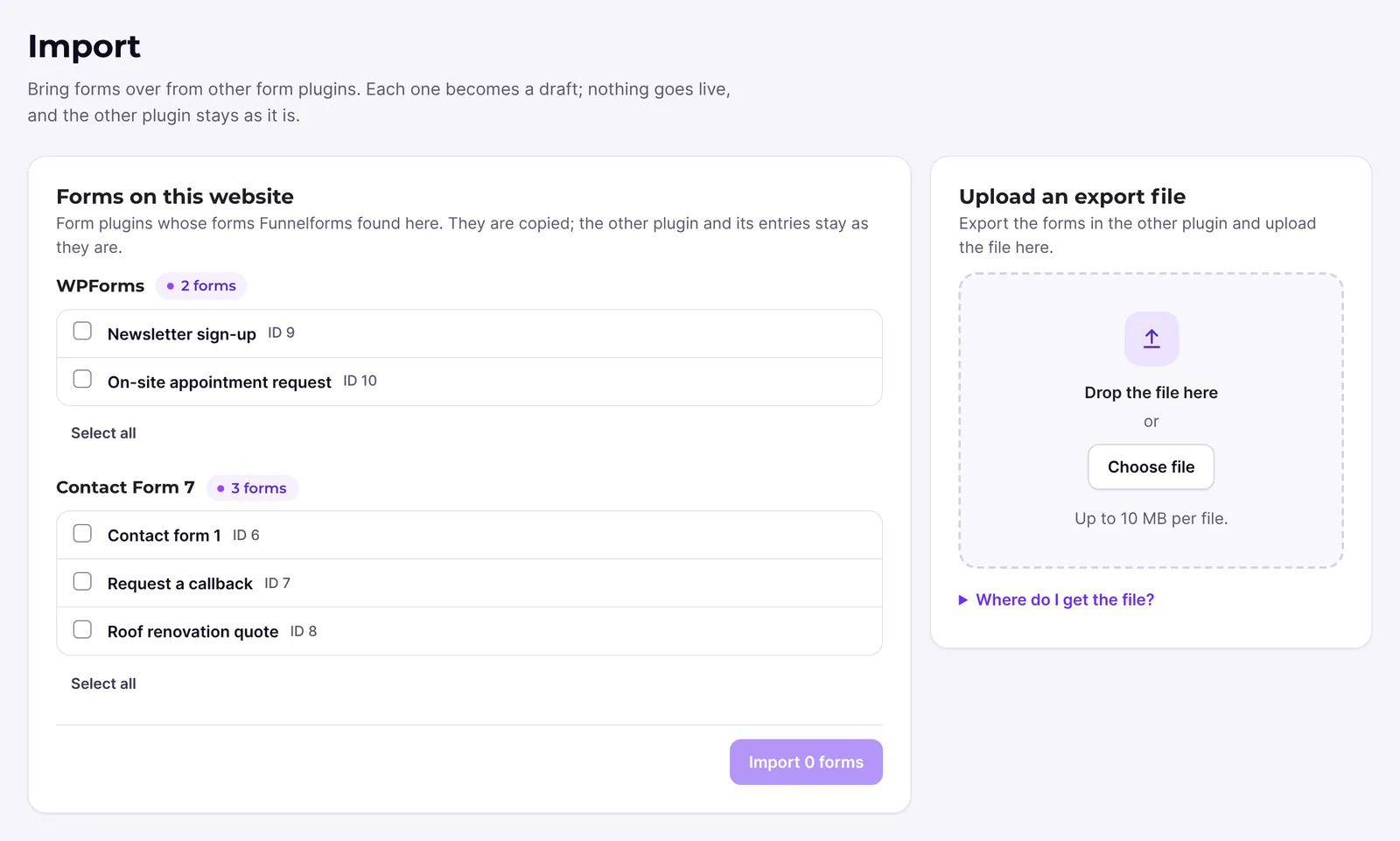
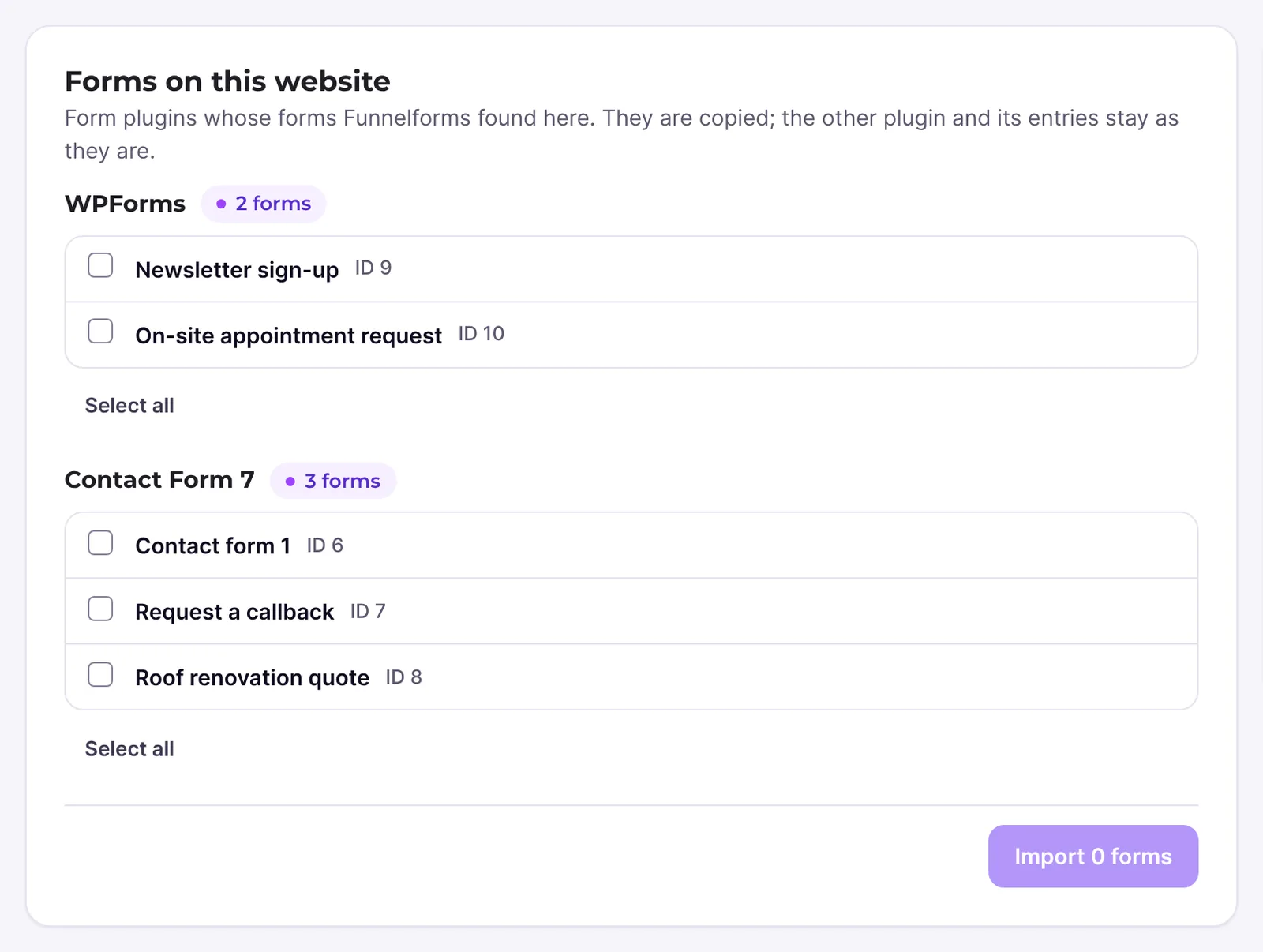
- Upload the file or choose the forms Funnelforms found on your website.
- Read the notes for each form. They say what was not taken over.
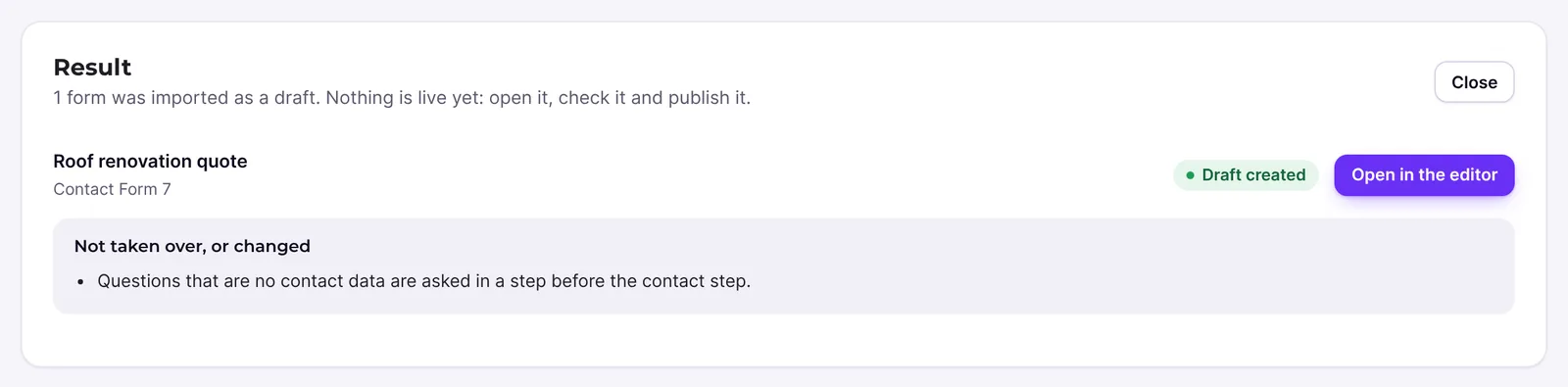
- Open the new form in the editor and set up what the notes mention.
- Check the form in the preview and publish it.
How it works
What does the imported form look like?
Each page of the old form becomes a step. Contact fields of the last page go into the contact step, all other questions into a step before it. Notifications become e-mail actions after the contact step. The confirmation becomes the thank-you text or the redirect. Funnelforms converts placeholders in texts, for example for a field, all answers or the website name, into its own placeholders. Default texts such as the send button are in your website's language.
What is not taken over?
- Conditional logic: fields, pages and e-mails with conditions always appear. Rebuild the logic with paths, see Conditions and paths.
- Certain fields: hidden fields, CAPTCHAs, payments, signature, repeater groups, password and calculations. Instead of a CAPTCHA you use the spam protection of Funnelforms.
- Recipients by rules: the e-mail goes to the admin address. Of several confirmations with conditions, one remains.
- Other actions: CRM connections and webhooks of the other plugin.
- Entries and styling.
What applies in Funnelforms Free?
The import itself works the same in Free. It can, however, create parts that belong to Funnelforms Pro. While they are in the form, Free doesn't publish it and reports "The form uses "…", which is part of Funnelforms Pro, so Funnelforms Free cannot publish it." This mainly concerns:
- Several e-mails: every notification and every confirmation of the old plugin becomes an e-mail action at the contact step. The first one becomes E-mail to you. Of the others, the first that goes to an address from a form field becomes the Confirmation to the visitor; all others become E-mail to you as well. Free allows one notification to you and one confirmation to visitors per contact step. Delete the other mails at the contact step on the After sending tab.
- Pro fields: file uploads, address fields and sliders arrive as File upload, Address and Slider, HTML in the contact step as an HTML field. Delete these questions or replace them with Free field types.
Which other features belong to Pro is listed in Pro features in the Funnelforms Free editor.
What happens on a second import?
If you import a form from this website again, Funnelforms skips it as long as the form it became exists. You can still force the import. Funnelforms imports a file again every time.
Best practices
- Import a single form first and check it before you take over all of them.
- Keep the old form online until the new one is published and tested.
- After the import, set up logic, spam protection and connections before you publish.
Troubleshooting
| Problem | Cause | Solution |
|---|---|---|
| The file is refused because the format is unknown | The file does not come from one of the seven plugins or was changed. | Export the forms in the other plugin again. |
| The file contains no forms | The export was empty. | Choose the forms when exporting. |
| The file is too large | More than 10 MB. | Export the forms in several files. |
| A form is skipped | It was already imported and the new form still exists. | Keep working with the existing form or force the import. |
| Note "The form had no contact fields" | The old form had no e-mail, name or phone. | Add contact fields to the contact step before publishing. |
| Free: the imported form can't be published. | It contains several e-mails or a Pro field. | Read the message under Fix these first and remove the named feature. |
| Note about a choice without options | The choice had no options in the old form. | Replace the placeholder option with real options. |
Tips
- Notes about placeholders in e-mails mean there was no counterpart for them. Check the e-mail text.
- If a field asked for date and time, it now asks for the date only.
FAQ
Does the import change anything in the other plugin? No. Funnelforms only reads the data.
Are my previous entries included? No, only the forms.
Does this also apply to Funnelforms 3? No. The migration assistant takes over forms from Funnelforms 3.