You can repeat the answer from an earlier step in a later text, for example "How many people are coming to your appointment on Saturday, Anna?". This feels more personal and reminds visitors of what they have already entered. Funnelforms inserts the answer as soon as the visitor sees the later step.
Requirements
- Funnelforms Free 5.0 or Funnelforms Pro 5.0. Earlier answers in questions and other texts of the steps and in the address and parameters of a redirect are Pro only. In Free you insert them in the message after sending, in the contact step and in e-mails. Parameters with a fixed value are in Free too.
- A form with at least two fields. The answer must be in a step before the text where you insert it.
- The selection Insert an earlier answer appears only if you may edit the form and there is another field.
Where to find it
Funnelforms → Forms → open a form → workspace Structure → select a question → property Question → selection Insert an earlier answer (Pro only).
You find the same selection on an end below the thank-you page's Message, in Free and Pro, and on a redirect under Pass answers to the page next to each Value (Pro only). In Free this part is called Parameters of the address and takes fixed values only.
Features at a glance
- The selection Insert an earlier answer inserts a placeholder with the field's Variable name into the question text, into an end's message or into the value of a redirect parameter.
- The placeholder looks like
{{field:name}}. In the form, the visitor's answer appears there. - The placeholder also works in other texts and in e-mails.
- In questions, texts of the steps and redirects Pro only; in the message after sending, in the contact step and in e-mails also in Free.
Step by step
- Check the Variable name of the field whose answer you want to insert: select the field → Advanced → Variable name. For example
name.
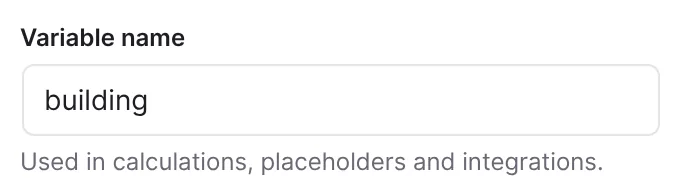
- In the Structure workspace, select the later question in which the answer should appear (Pro only). In Free, select the end instead and insert the answer under Message.
- Open the selection Insert an earlier answer below the question text. It first shows Choose a field.
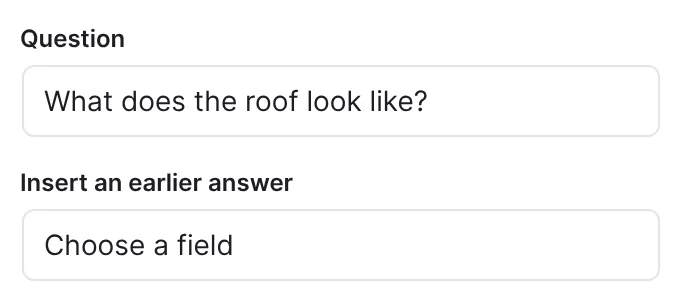
- Choose the field. The list shows each field with its title and the variable name in brackets.
- Funnelforms appends the placeholder to the end of the question text, for example
How many people are coming, {{field:name}}.
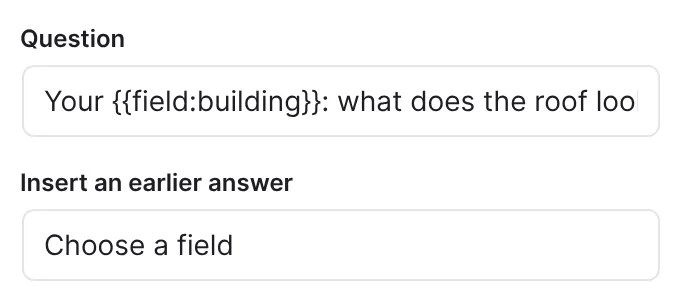
- Edit the text so the sentence fits, and move the placeholder to the right place.
- Look at the result in the Preview and publish the form with Publish.
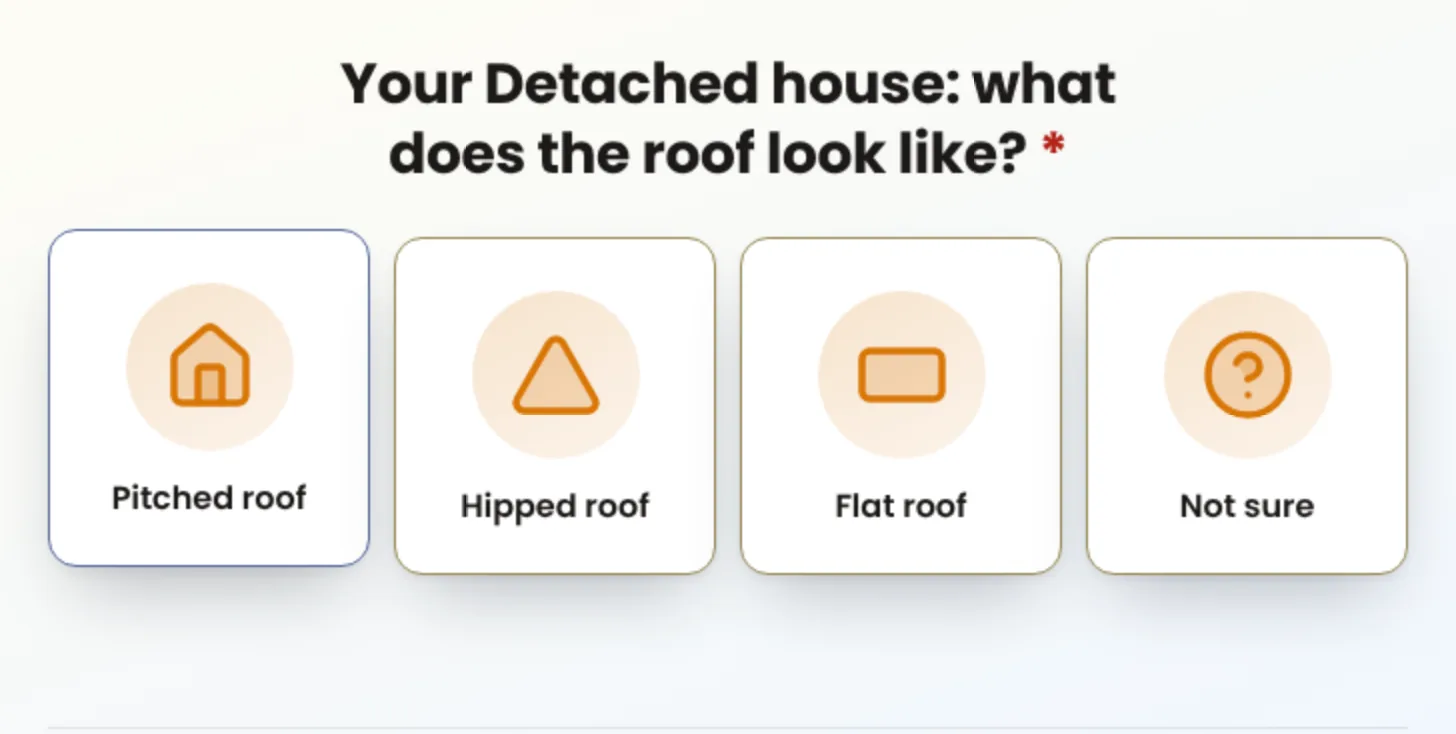
How it works
Which fields can I choose?
The list shows fields from all steps of the form, each variable name once. It does not include the field itself, nor fields of the types Text and media, File upload, Signature, Consent, HTML and Captcha. The list does include fields of the contact steps such as Name or E-mail address. Their answers only exist once the visitor has sent the contact step. In questions before it, the spot stays empty; use them in e-mails and in the text after sending. The selection itself exists only for questions in steps, not for fields of the contact step.
Where is the placeholder replaced?
- In question texts, descriptions and other texts of fields in the steps (Pro only).
- In Text and media elements (Pro only).
- In the heading and text of the contact step.
- In the text after sending and in the address of a button there.
- In e-mails. There you can also insert fields of the contact step.
- In redirects, in the address and in the parameters (Pro only).
The selection Insert an earlier answer exists for the question text, for an end's Message and for the values under Pass answers to the page. In the other texts, you type the placeholder yourself. For an end's message and for redirects, the list also holds the fields of the contact step, whose answers are known there.
Is the feature part of Funnelforms Free?
Partly. In Free you insert placeholders such as {{field:name}} in the message after sending, in the address of a button there, in the contact step and in e-mails. In questions and other texts of the steps and in the address and parameters of a redirect, earlier answers are part of Pro: Free offers no Insert an earlier answer there. Under Parameters of the address, Add parameter adds parameters with a fixed value in Free, for example a source for your own statistics. If a value there holds an earlier answer, it shows "Inserting earlier answers comes with Funnelforms Pro." with the Pro badge. If such a placeholder is in a step, in the address or in a parameter of a redirect, Publish reports "The form uses "Earlier answers in questions and in the address of a redirect", which is part of Funnelforms Pro, so Funnelforms Free cannot publish it." If the form is published already, for example from Pro, Free does not show it on the website until you remove the placeholders and publish again. Some field types in the list are also part of Pro, such as Slider or Repeat group. Free cannot publish a form with such fields.
What does Funnelforms insert?
Funnelforms inserts the answer as text. For a choice, that is the name of the chosen answer. The answer is prepared so that visitors cannot sneak in formatting or code.
In the entry list and in e-mails, the question appears the way the visitor saw it, that is, with the answer inserted.
What happens when there is no answer yet?
If the visitor has not answered the field, or the step is not on their path, the placeholder stays empty. Word the text so it still makes sense without the answer, or make the field required.
What happens when several fields share a variable name?
Then the answer given last counts. Funnelforms warns in the field properties: "The variable name "…" is used by "…" as well. Calculations, placeholders and integrations then take only one of them; change it under Advanced." Give the fields different names then.
Best practices
- Insert the answer where it sounds natural, for example as a salutation at the start or end of the question.
- Choose short, unambiguous Variable names, for example
firstname. - Insert answers from text fields only where an empty placeholder does no harm.
- If your form has several languages, insert the placeholder in every language version of the text.
Troubleshooting
| Problem | Cause | Solution |
|---|---|---|
| The selection Insert an earlier answer is missing. | There is no other field that can be inserted, or the form is read-only. In Free it is always missing for questions and redirects. | Add another field. Check whether someone else is editing the form right now. In Free, use the Message of the end. |
| Free: "The form uses "Earlier answers in questions and in the address of a redirect" …" when publishing. | A text in a step, the address or a parameter of a redirect contains a placeholder such as {{field:name}}. | Remove the placeholder there or use Funnelforms Pro. Fixed values may stay in the parameters. |
| Free: a published form no longer appears on the website. | It holds earlier answers in a step or in the redirect, for example after switching from Pro to Free. | Remove the placeholders there and publish the form again. |
The form shows the placeholder as text, for example {{field:name}}. | The variable name does not match a field, or the placeholder is misspelled. | Choose the field with Insert an earlier answer instead of typing it, and check the Variable name. |
| The spot stays empty. | The visitor has not answered the field, or the step is not on their path. | Word the text so it works without the answer, or make sure the visitor sees the field. |
| The wrong answer appears. | Two fields have the same Variable name. | Give the fields different names under Advanced. |
| The placeholder is at the end of the text. | Insert an earlier answer always appends it at the end. | Move it to the place you want in the text. |
| The value is missing on the page a redirect leads to. | The field was not answered or the parameter is misspelt. | Check Parameter and Value under Pass answers to the page. |
Tips
- The placeholder for a calculation looks different (
{{calc:ID}}) and is explained in the article Calculations and formulas. - Do not change the Variable name once you have used it somewhere. Otherwise you have to adjust the placeholders.
- Check the texts in the Preview with your own answers.
FAQ
Can I use the visitor's details from the contact step in questions? The contact form comes at the end of the form. In earlier questions, that answer is therefore not available. In e-mails and on the page after sending, you can use fields of the contact step.
Does this work for choice fields too? Yes. Funnelforms then inserts the name of the chosen answer. If several answers are chosen, all names appear, separated by commas.
Can I use answers in calculations too? Yes, through the Variable name. That does not use this placeholder but formulas, which you find in the article Calculations and formulas.