Understand date conditions in the logic editor
Date conditions work differently from text or number comparisons because they operate on time spans. Funnelforms supports the classic comparisons (before, after, between) plus three specialised operators: within, outside and within_period. This article explains when to use which.
Requirements
- A date field (single date or date range) in your form.
- A clear idea of the time window you want to check.
Where to find it
Logic → source field (date) → add condition. Date fields expose additional operators.
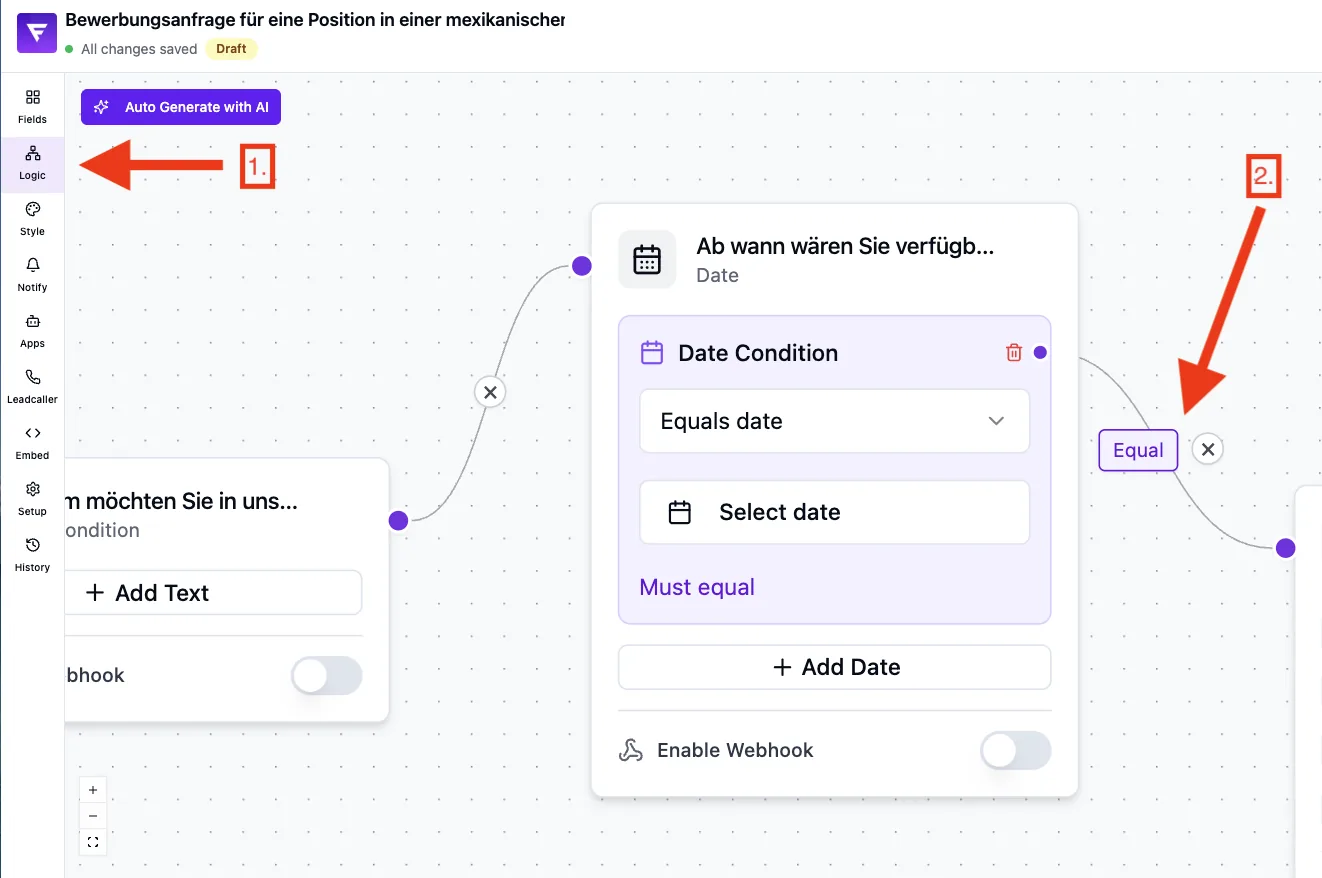
Operators in detail
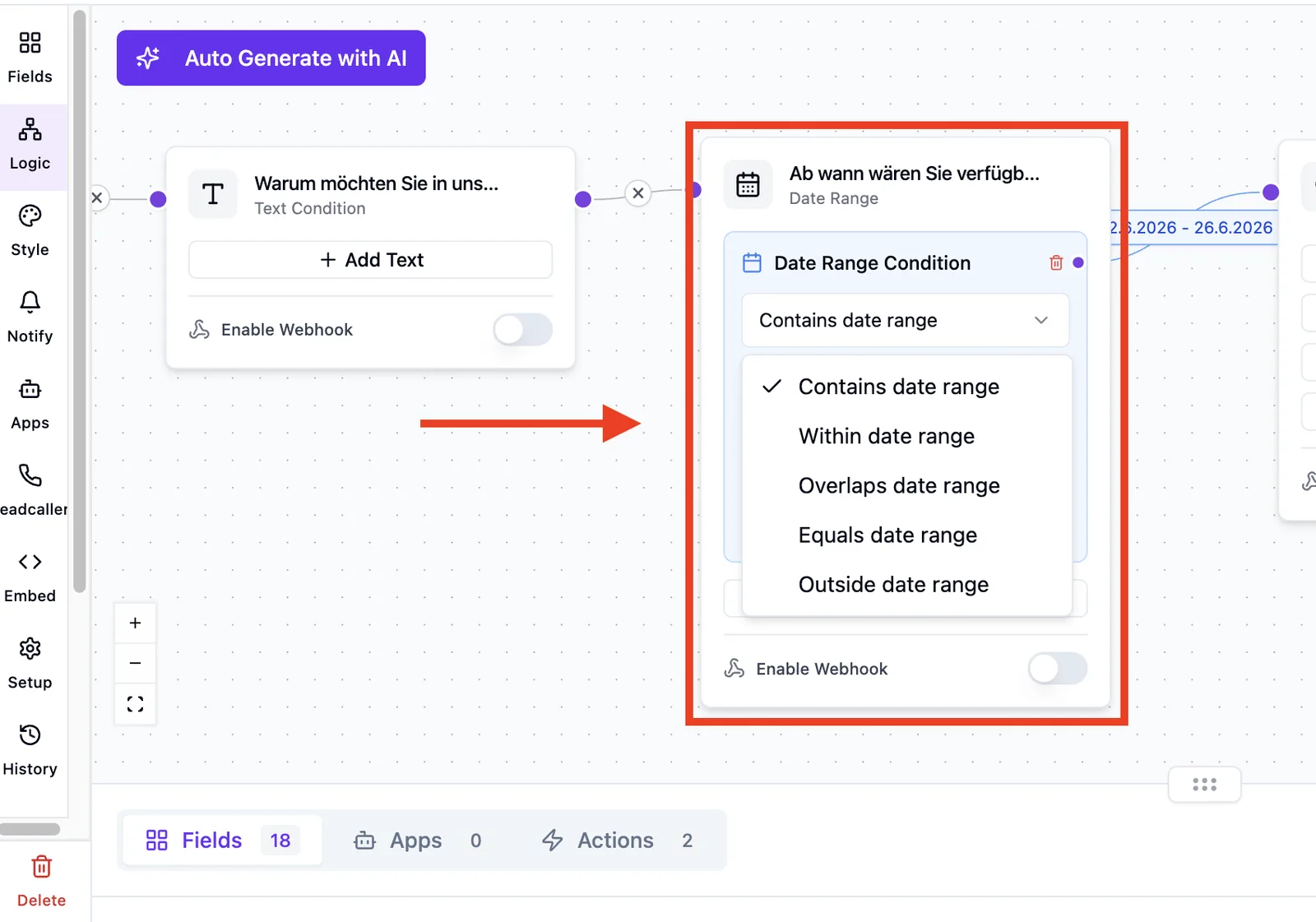
before / after
Compares the answer date against a fixed reference. before matches when the answer is earlier; after when it is later.
between
Matches if the answer falls between a start and end date (inclusive).
within
For date ranges: matches when the chosen range lies fully inside a reference range.
outside
Counterpart to within: matches when the chosen range lies fully outside the reference range.
within_period
Matches when the answer date falls inside a ± X-day window around today (e.g. "within 14 days before or after today"). Past and future are covered together.
Step-by-step
- Add a condition on the date field in the logic editor.
- Pick the right operator (e.g. within_period).
- Define the reference value or time window.
- Connect the branch to the target field.
Best practices
- Use within_period for "within the next X days" logic — no need to maintain a fixed date.
- Use within/outside only when the source field is actually a date range.
- Keep the reference window narrow — wide windows make the branch less selective.
Common pitfalls
- within on a single date doesn't behave as expected — use between instead.
- For within_period, day 0 is today (comparison starts "now").
- Answers without a date are skipped — the lead follows the default edge.
Tips
Note: Dates are displayed in DD.MM.YYYY format. Comparison happens against ISO timestamps internally.
FAQ
Which timezone is used?
Comparison runs in the lead browser's local timezone, because evaluation happens in the browser. For day-level logic you may see small differences between leads in different timezones.
Can within_period look into the past?
Yes. within_period automatically covers both past and future (± X days around today). No negative value or separate past operator is required.
What happens if the lead leaves the date empty?
The condition doesn't match. The lead continues along the default edge.