Shape the Form Experience: Set Language, Limits and Password Protection Properly
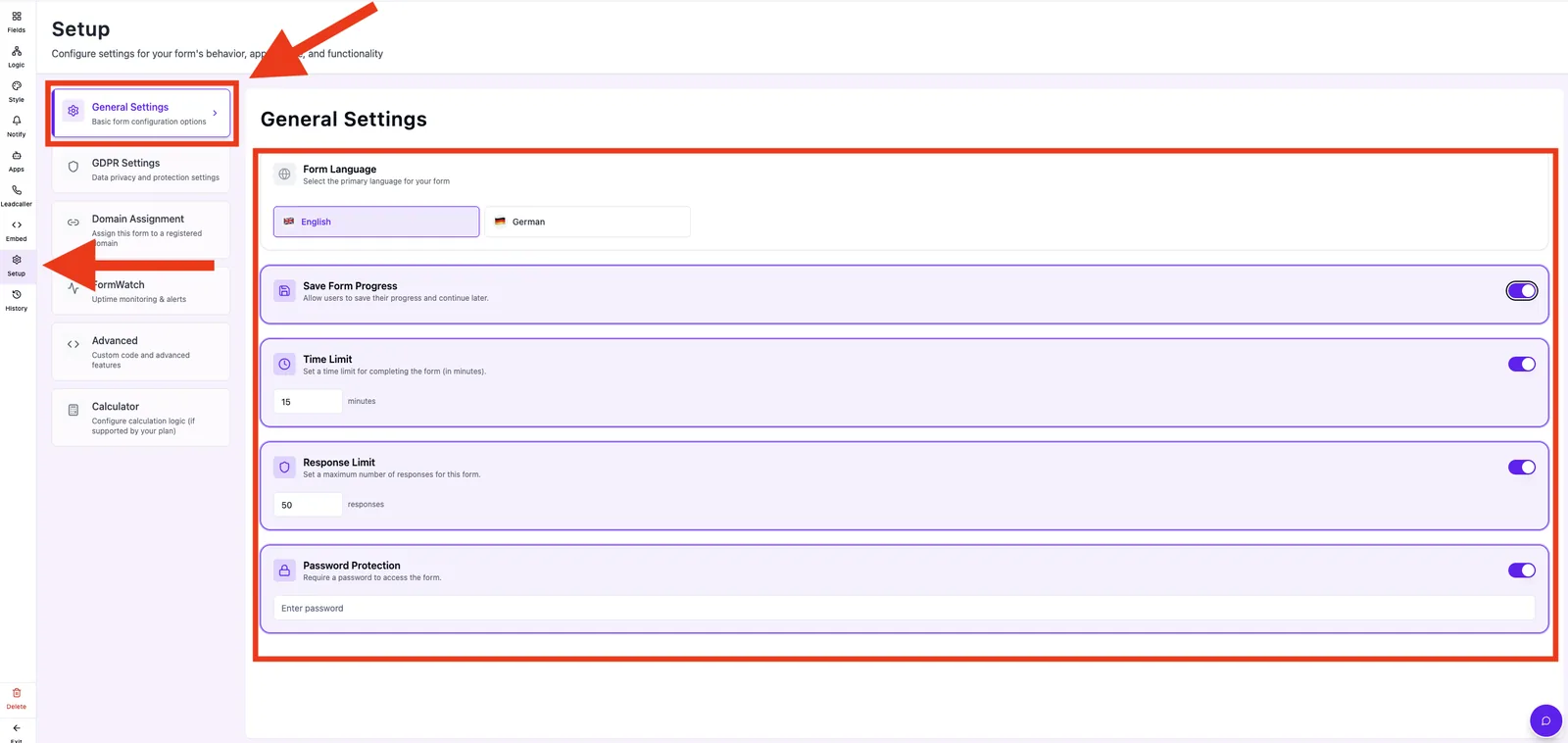
General settings control the form language, save behavior, time and response limits and an optional password gate. These options shape how visitors experience and complete your form.
Prerequisites
- A form created in the Form Editor.
- Some options are plan-dependent:
- Save Form Progress, Time Limit, Response Limit and Password Protection are not available on free accounts.
Where to find
Form Editor → Setup → General Settings
Capabilities
- Form Language — English or German.
- Save Form Progress — visitors can resume later.
- Time Limit — maximum duration in minutes.
- Response Limit — maximum number of submissions.
- Password Protection — access only via password.
Step by step
- Open Setup → General Settings.
- Pick the Form Language by clicking a flag.
- Toggle Save Form Progress if needed.
- Enable Time Limit and enter minutes.
- Enable Response Limit and enter the maximum number of responses.
- Enable Password Protection and set a password.
How does the time limit work?
When enabled, a visible timer runs inside the form. Each change to the time limit increments an internal timerVersion so that running form sessions pick up the new limit and the remaining time is recalculated.
How does the response limit work?
Once submissions reach the configured value, the form shows as unavailable for new visitors. Existing leads remain visible.
Best practices
- Pick a language that matches your audience — it drives default validation strings.
- Use password protection only for internal forms or test URLs.
- Keep time limits moderate; overly short limits hurt conversion.
Common pitfalls
- Toggle is greyed out: the feature is not part of your current plan — the tooltip shows an upgrade hint.
- Forgot the password: no recovery — simply set a new one.
Tips & notes
Note: Free accounts can no longer enable these limits after the trial ends. Existing configurations stay intact.
Frequently asked questions
Can I configure more than two languages?
Currently only English and German are available.
What happens when the time limit is exceeded?
The form auto-submits or ends — depending on your editor setup.
Where do I see how many submissions are left?
In the leads area and as an internal counter in the form statistics.