In a step with several fields you can show single fields only when an answer above them or from an earlier step fits. This way you ask for a description only on "Other", for example, without a step and a path of its own. Visitors see only the fields that apply to them.
Requirements
- You need the right to edit forms.
- The field is in a normal step with at least two fields. The contact step doesn't have this setting.
- There is a question the field depends on, and it is above the field or on an earlier step.
- The setting is available in Funnelforms Free and Funnelforms Pro. In Free, the rule asks for the chosen answer of a choice or dropdown question, as with paths; all other rules are part of Pro.
Where to find it
Funnelforms → Forms → open a form → Structure → select the step → on the right, select the field on the Fields tab → Show this field.
Features at a glance
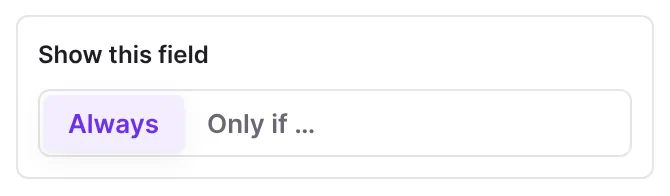
- The switch Show this field with Always and Only if …
- Rules under Show when on answers above and from earlier steps (Pro only); in Free one rule "when [question] is answered with [answer]" on a choice or dropdown question
- Several rules where all of these apply or one of these applies, plus groups (Pro only)
- The marker Only if … in the list of fields and if on the canvas
- Hints when the order doesn't fit or a step can end up empty
- Hidden fields are not required, and their answer is not sent
Step by step
Show a field only on a certain answer
- In the step, first add the question the field should depend on, for example a Choice with the answer "Other".
- Below it, add the dependent field, for example Short text with the question "What exactly?".
- Select the dependent field.
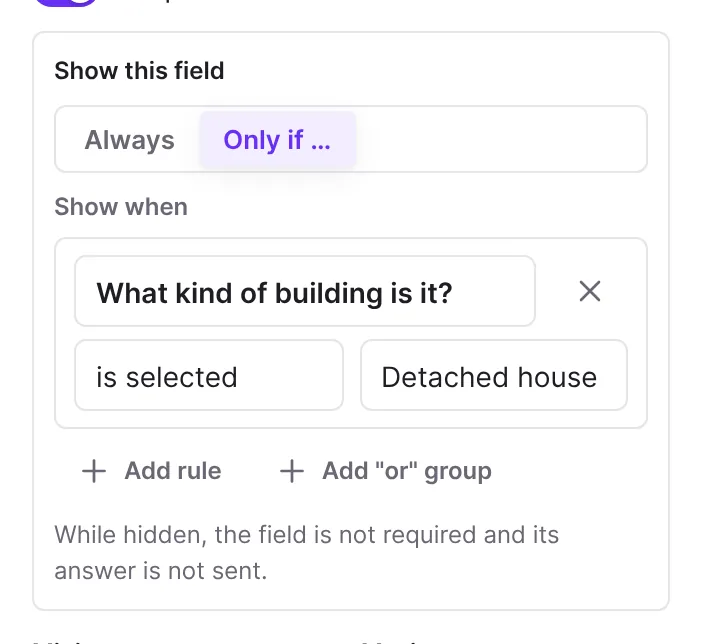
- Under Show this field, click Only if …. The editor adds a first rule, in Funnelforms Free always on a choice or dropdown question.
- In Pro, under Show when, choose the question, the comparison (for example is selected) and the answer (for example "Other"). In Free, choose the question after when and the answer after is answered with.
- Test the form in the Preview: the field appears as soon as the answer is chosen.

Combine several rules (Pro only)
- Under Show when, click Add rule.
- With two or more rules, choose whether all of these apply or one of these applies.
- For combinations such as "A and (B or C)", click Add "or" group or Add "and" group.
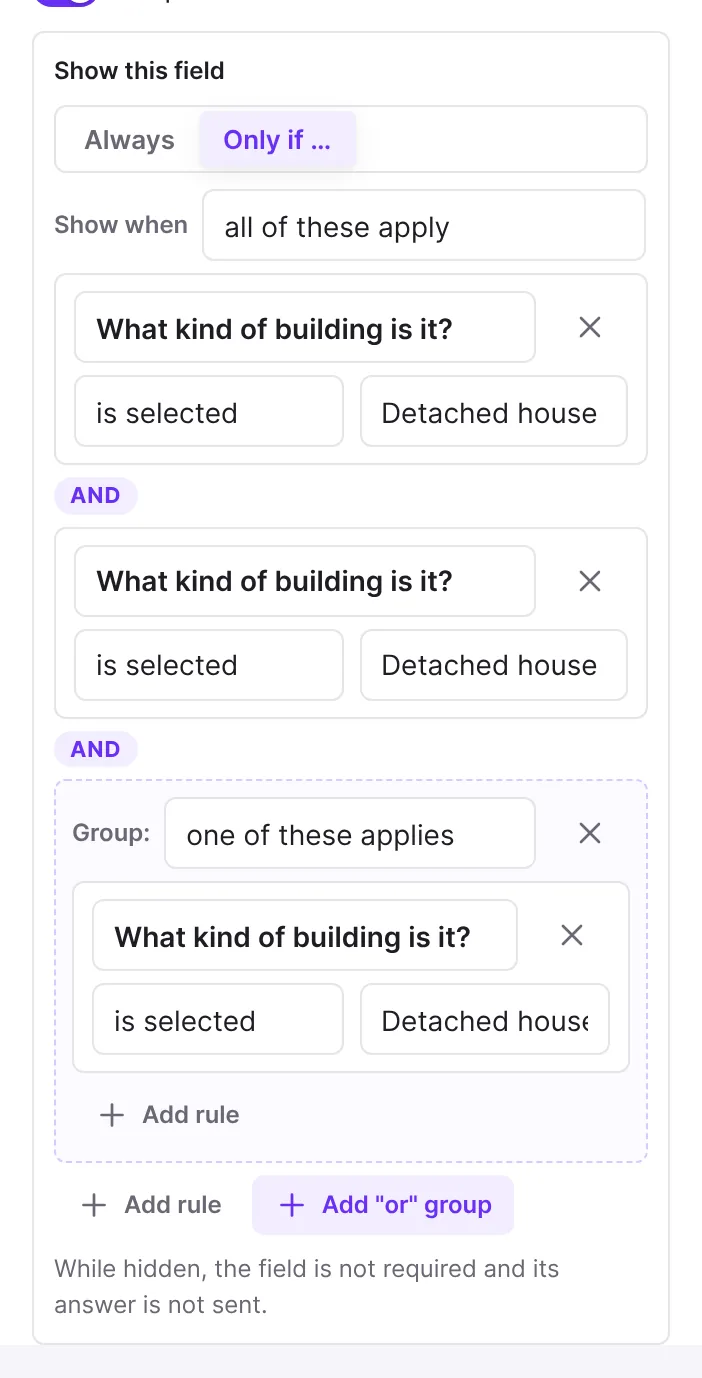
- Remove rule deletes a rule.
Show a field always again
- Select the field.
- Under Show this field, click Always. The rules are removed.
How it works
What can a rule ask for?
Any field visitors answer before the dependent field: fields above it in the same step and fields on earlier steps. Depending on the field type you compare with, for example, is selected or is the only answer (choice and dropdown), is at least or is less than (numbers), contains or equals (text), is before or is after (date), is answered or is not answered. For an address you choose the Part of the address, such as the Postcode. Calculations are not offered here.
If there is no suitable question before it yet, Only if … is locked and the editor says "Fields can be shown on answers given above them or on earlier steps. Put the question it depends on first."
What works in Funnelforms Free?
In Free, a field is shown on exactly one rule: a choice or dropdown question is answered with a certain answer, just as paths in Free branch on the chosen answer. Only if … adds this rule and stays locked while no choice or dropdown question comes before the field. The editor shows the same picker as for paths: the question after when, the answer after is answered with. Other comparisons, several rules and groups are part of Pro and can't be added in Free.
If a field already has a rule of Pro, for example from a form made with Pro, it shows "This field has a condition of Funnelforms Pro. Choose a question and an answer to replace it, or show the field always." Choose a question and an answer, or click Always. If no choice or dropdown question comes before it, the hint reads "A field can depend on the answer to a choice or dropdown question before it." While a field has such a rule, Publish reports "The form uses "Conditions with AND/OR, numbers, text and dates", which is part of Funnelforms Pro, so Funnelforms Free cannot publish it." A Free website doesn't show an already published form with such a rule.
What do visitors experience?
The field stays hidden until the rule applies, then appears in the same step. If someone changes the answer, it disappears again. While the field is hidden, it is not required and its answer is not sent. It also doesn't count for paths, calculations or the entry. Funnelforms checks this on the server as well when the form is submitted.
How do I spot conditional fields in the editor?
In the Fields list the field carries the marker Only if …; hover over it to read the rule in words. On the canvas, a small if appears in front of the field in the step, with the tooltip "Shown only on certain answers".
Which hints does the editor show?
- "A field is shown on "…", which visitors answer only below or after it. Move that question up.": the question the field depends on is now below it or on a later step.
- "Every field of this step can be hidden. When all are hidden, visitors see an empty step.": all fields of the step have a rule.
What happens when I delete the question a field depends on?
The editor removes the rules that ask for that question. If no rule is left, the field is always shown again. The notice after deleting then says "fields now always shown: …", and Undo brings back the question with its rules.
Show a field or add a path?
A conditional field is good for short follow-up questions in the same step. If visitors should see quite different questions, add a step of its own and branch by the answer on the Logic tab, see Build steps.
Best practices
- Always put the question something depends on at the start of the step.
- Leave at least one field without a rule in each step so no step ends up empty.
- Use conditional fields for follow-ups such as "Other, namely …" or "Company" after "I am a business customer".
- Check every answer that shows or hides a field in the Preview.
Troubleshooting
| Problem | Cause | Solution |
|---|---|---|
| Show this field is missing. | The step has only one field, or it is the contact step. | Add another field to the step. The contact step doesn't have this setting. |
| Only if … can't be clicked. | There is no question before the field that a rule could ask for. In Free, only choice and dropdown questions count. | Add the question above it or on an earlier step. |
| Free: "The form uses "Conditions with AND/OR, numbers, text and dates" …" when publishing. | A field is shown on a Pro rule, such as is answered, a number or several rules. | Choose a question and an answer at the field to replace the rule, or click Always. |
| The field never appears. | The question it depends on is below it or later; the editor shows a hint about it. | Move the question above the field with Move up. |
| Visitors see an empty step. | All fields of the step are hidden. | Keep one field always visible, or branch around the step with a path. |
| An entry lacks the answer to a field. | The field was hidden for these visitors. | That is intended: hidden fields send no answer. |
| A field is always visible again after deleting a question. | Its rule asked for the deleted question. | Click Undo in the notice or add a new rule. |
Tips
- A conditional field marked Required is required only while it is visible. So you can turn Required on safely.
- Rules can also ask for answers from earlier steps, such as "Show when type of property is selected House".
- Always resets a field quickly without deleting rules one by one.
FAQ
Is this available in Funnelforms Free too? Yes, on the chosen answer of a choice or dropdown question. Rules on numbers, texts or dates and several rules with AND/OR are Pro only.
Can I show fields in the contact step on conditions? No. The setting exists only in normal steps.
Is the answer of a hidden field saved? No. While a field is hidden, its answer is neither sent nor saved.
Can I ask for a calculation? No. Fields show only depending on answers, not on calculations.