WhatsApp Notifications: Reach Leads and Customers Directly in Messenger
WhatsApp notifications reach recipients where they already read every day: in the world's most-used messenger. Send new leads straight to you or your team and give the customer an instant confirmation – via the Meta-approved templates of your WhatsApp Business account.
Prerequisites
- A published form in the form editor.
- A WhatsApp Business Account (WABA) connected to Funnelforms via Meta Embedded Signup (see Integrations).
- At least one Meta-approved template (status "Approved").
- For admin WhatsApp: at least one mobile number in international format.
- For user WhatsApp: a form field of type Phone.
Where do I find this setting?
Form editor → tab Notify → tab WhatsApp → sub-tabs Admin and User.
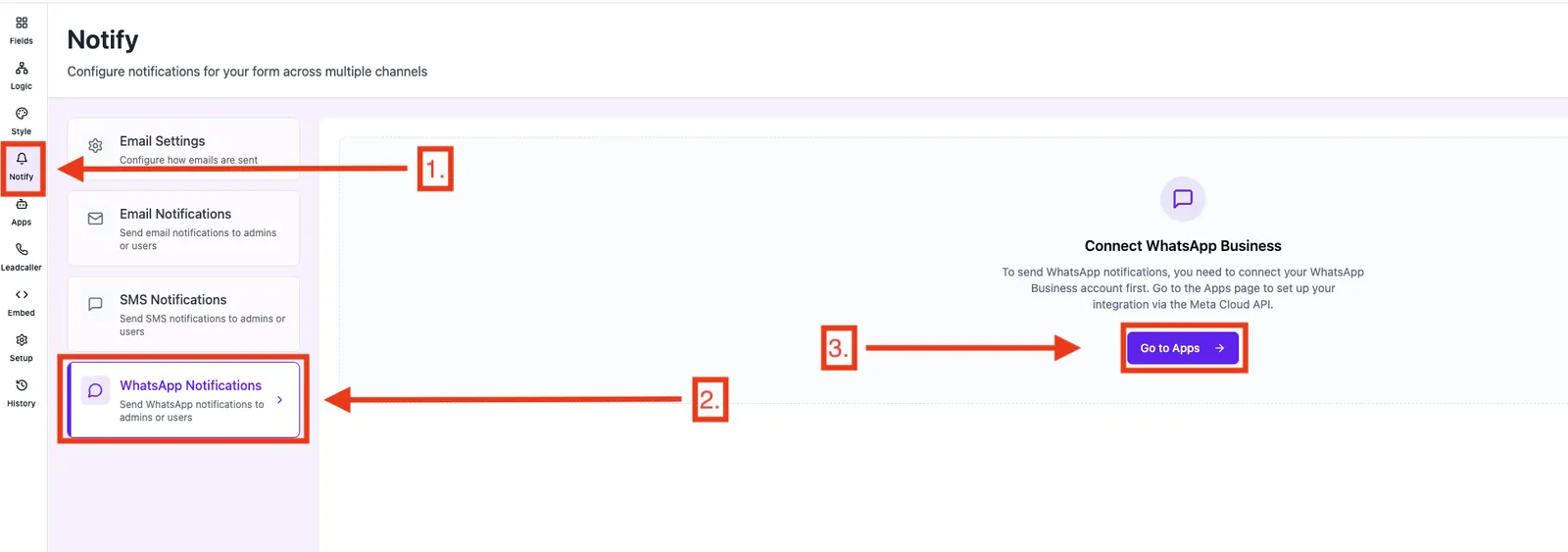
Feature overview
- On/off toggle per mode.
- Admin numbers: up to 5 mobile numbers.
- User phone field: selects the form field that provides the recipient number.
- Template picker: only approved templates from your WABA are listed.
- Variable mapping: assigns each template variable (
{{1}},{{2}}…) to a form field.
Step-by-step: Set up admin WhatsApp
- Make sure your WABA is connected and the desired template has status Approved.
- Open the form → Notify → WhatsApp → Admin.
- Enable the toggle.
- Enter mobile number(s) in
+49...format (max 5). - Under Template, pick the approved template you want to use.
- In Variable mapping, assign each template variable to the matching form field.
- Click Save.
Step-by-step: Set up user WhatsApp
- Make sure your form has a field of type Phone.
- Open the form → Notify → WhatsApp → User.
- Enable the toggle.
- Under Phone field, select the correct form field.
- Under Template, pick the approved customer template.
- Set the variable mapping (e.g. first name →
{{1}}) and save.
Best practices
- Create the template in Meta Business Manager before the form configuration and wait for approval.
- Keep templates short and transactional ("We've received your inquiry") – promotional text gets rejected by Meta.
- Use separate templates for admin and user with clear names ("admin_new_lead", "user_confirmation").
- Test with a sample lead before routing paid traffic to the form.
Troubleshooting
- Template picker is empty: no approved template available or WABA connection missing. Check status in Meta Business Manager and in Funnelforms Integrations.
- Message doesn't arrive: phone number is in the wrong format, recipient has no WhatsApp installed, or template variables are mapped incorrectly.
- Template was rejected: Meta has strict rules – revise the text and resubmit the template.
- Variables appear empty: the form field selected in the mapping has no value in the lead.
FAQ
Do I need my own WhatsApp Business account? Yes. The connection runs via Meta Embedded Signup directly inside your Funnelforms account.
Why only approved templates? WhatsApp Business only allows initial outbound messages through Meta-reviewed templates – this is Meta's rule, not Funnelforms'.
How many admin numbers can I add? Up to 5 per form.
Is the setting global or per form? Strictly per form.