Funnelforms stores entries with contact data. This article shows the tools you use to answer requests for access and erasure completely, including old leads from Funnelforms 3, how to use the suggested text for your privacy policy, and how fonts are served without a connection to Google. It is not legal advice and not a privacy policy.
Requirements
- Funnelforms Free 5.0 or Funnelforms Pro 5.0. Export, erasure and the suggested text are included in both editions.
- You can use the WordPress privacy tools (export and erasure of personal data). Usually administrators can.
- For the retention period and the privacy mode you need the right "Change settings".
Where to find it
- Export and erasure: Tools → Export Personal Data and Tools → Erase Personal Data (WordPress tools)
- Suggested text: Settings → Privacy in WordPress, in the privacy policy guide, section "Funnelforms Pro" or "Funnelforms Free"
- Retention: Funnelforms → Settings → Entries and spam → Deleting entries
- Privacy mode: Funnelforms → Settings → General → Privacy mode
- Local fonts: in the editor, in the selection "Font of the website" under "Google Fonts"
Features at a glance
- Funnelforms hooks into the WordPress export and erasure; both are called "Funnelforms entries".
- All data holding the e-mail address of the request is found: entries, saved form progress (Pro only) and leads from Funnelforms 3.
- The erasure removes entries with files, notes and bookings, and also the old leads from Funnelforms 3 with their files.
- A suggested text for your privacy policy that reflects your edition, your retention period and your privacy mode.
- Automatic deletion of entries after a period; new sites start with 365 days.
- Google Fonts are downloaded once to your website; visitors load nothing from Google.
- Erasures on request and by the period are recorded in the log of administrator actions.
Step by step
Answer an access request
- Open Tools → Export Personal Data.
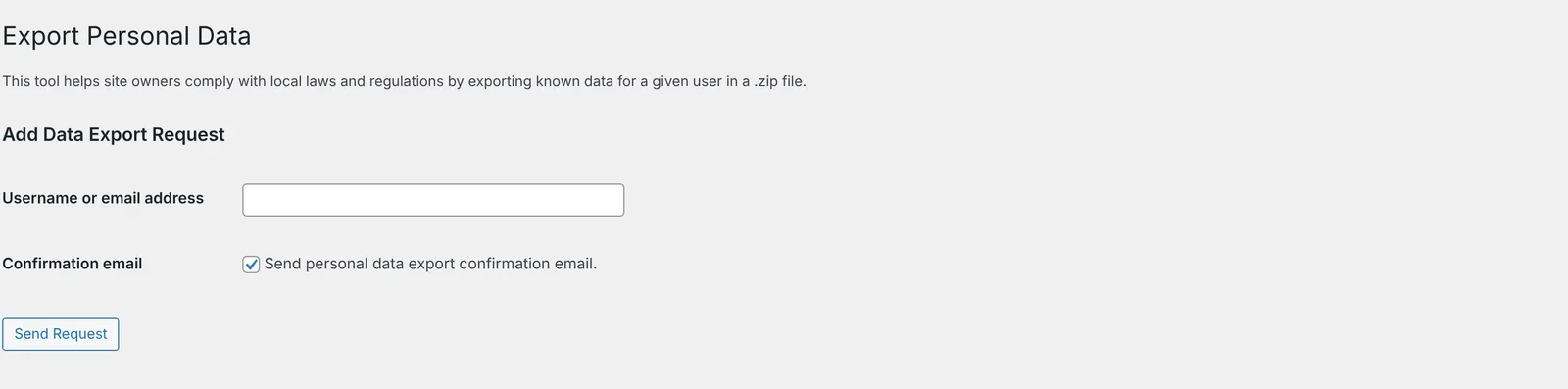
- Enter the e-mail address of the person asking and create the request.
- Confirm the request as WordPress intends.
- Download the export. Under "Funnelforms entries" it holds the groups "Form entries", "Saved form progress" and "Funnelforms 3 leads", as far as there is data for them.
Handle an erasure request
- Open Tools → Erase Personal Data.
- Enter the e-mail address and create the request.
- Confirm the request and run the erasure.
- Read the message from Funnelforms. If there are still restore points of Funnelforms 3, it points that out (see below).
Use the suggested text for the privacy policy
- In WordPress, open Settings → Privacy and there the privacy policy guide.
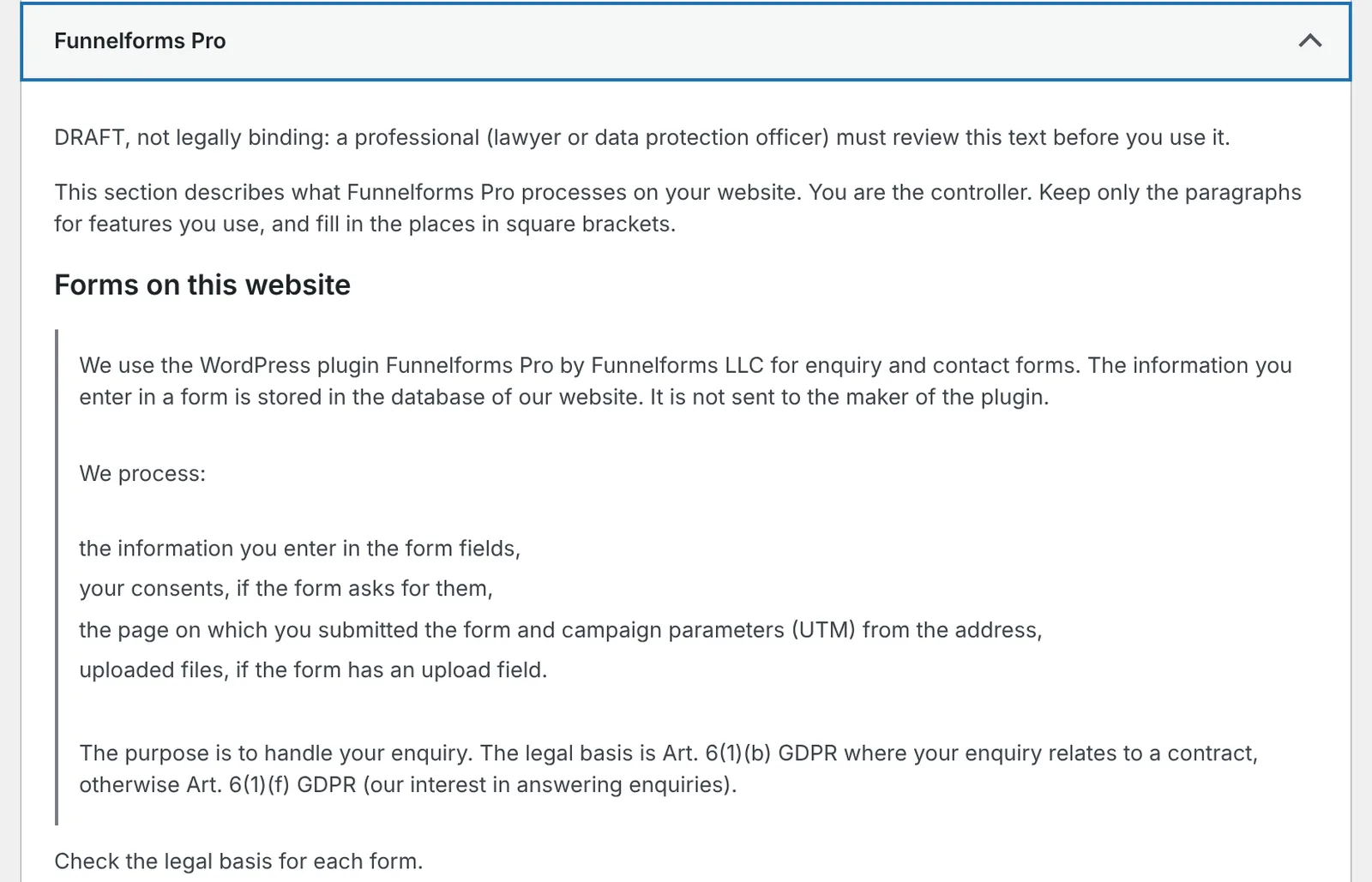
- Find the section "Funnelforms Pro", or "Funnelforms Free" in Free.
- Copy the paragraphs on the features you use into your privacy policy and fill in the places in square brackets.
- Have a professional review the text before you use it. The suggestion is marked "DRAFT, not legally binding".
How it works
What does the export contain?
Funnelforms searches all contact fields for the e-mail address of the request, ignoring upper and lower case. Per entry, the export holds:
- Form, Submitted (UTC) and the page on which the form was sent.
- Contact details and answers, calculations and consents with their text and yes/no.
- UTM parameters and tags.
- Device, browser and operating system.
- Data for conversion tracking if it was stored with consent, for example the IP address.
- Appointments, uploaded files (name, type and size) and internal notes. Who wrote a note is not exported.
Saved progress of Continue later (Pro only) and leads from Funnelforms 3 that were not taken over as an entry are added. Leads taken over are already part of the form entries.
What does the erasure delete?
- The entries found, the same way the automatic deletion does: with uploaded files, delivery log, notes and bookings, also bookings that have not taken place yet.
- Saved progress with this address.
- Leads from Funnelforms 3 with this address, with their files in the folder
uploads/af2. Funnelforms remembers the erased leads so that a later restore of Funnelforms 3 leaves them out.
The log of administrator actions shows "Entries erased on request" with the number, not the content.
And the restore points of Funnelforms 3?
When you switch from Funnelforms 3, Funnelforms creates restore points. They still hold the old leads. In Pro the erasure then reports: "Restore points of Funnelforms 3 still hold the erased leads until they are deleted under Settings → Backup and way back. A restore leaves them out." The tab Backup and way back exists in Funnelforms Pro for administrators. In Free the message reads: "Restore points of Funnelforms 3 still hold the erased leads until they are deleted on their own, 30 days after the move to Funnelforms 5. They are never restored."
What is in the suggested text?
The suggestion describes what Funnelforms processes on your website. It names the plugin you use, "Funnelforms Pro" or "Funnelforms Free".
- In both editions: the forms and what is stored, the retention period (it names the number of days that apply on your website, also those from the setting of Funnelforms 3), the form statistics, the abuse protection and a captcha.
- Form statistics: the plugin counts how often a form is shown and submitted, which steps visitors go through in which order, and which fields stopped them because an entry was missing or not valid. It uses a random identifier per page view, stores only its hash, without IP address or browser details, for 400 days, and stores nothing in the browser for this.
- Extended form statistics (Pro only): a paragraph of its own on the fields filled in, the last field before leaving, the kind of device and whether someone used the form before, with the identifier
ffx_vidin local storage for 180 days. In the EU mode it names consent as the legal basis, in the Global mode the legitimate interest with objection in the cookie banner and Global Privacy Control. - Only in Pro as well: saved progress of Continue later, the browser storage for popups, optional features such as address suggestions, payments, appointments, forwarding and conversion tracking, and support by the maker.
Notes for you, such as "Check the legal basis for each form.", are marked as guidance. If the privacy mode in Pro is set to Global (opt-out), the suggestion adds a note that tracking code and services of other providers run without consent unless the visitor refuses. The paragraph on conversion tracking names consent as the legal basis in both modes, because Funnelforms sends conversions to Meta, TikTok and GA4 only with a yes in the cookie banner, also in the Global mode. In the Global mode the suggestion adds its own paragraph on Google Ads conversions, marked "Only if a Google Ads conversion in your forms is not set to "Only with the visitor's consent":". It names legitimate interest as the legal basis, objection in the cookie settings and the Global Privacy Control signal. Use it only if such a conversion is in your forms.
How does the privacy mode fit in?
The privacy mode decides whether tracking code, services of other providers such as Google Maps or a captcha, and the extended form statistics (Pro only) run only after consent (EU, the default) or unless the visitor objects (Global). Conversions to Meta, TikTok and GA4 need a yes in the cookie banner in both modes. Details are in the article "Privacy mode (EU or global)".
How does the automatic deletion work?
Entries older than the period are deleted every day, with their uploaded files. 0 keeps entries. New sites start with 365 days, and the setup assistant asks for the period. On sites with data from Funnelforms 3, the setting "Automatically delete leads" of Funnelforms 3 applies until you save a value.
How are Google Fonts delivered?
If you pick a font from "Google Fonts" in the editor, the server of your website downloads it once from Google and stores the files in your uploads folder (regular, medium, semibold and bold in Latin and Latin Extended). Visitors load the font from your website and make no contact with Google. Check that the license of the font allows use on websites.
Does Funnelforms store IP addresses for spam protection?
The limit on entries per visitor recognises visitors by a salted hash of the IP address. The IP address itself is not stored for this.
Best practices
- Set a retention period that fits your purpose. The suggested text then takes it over automatically.
- Answer access and erasure requests through the WordPress tools so that they are documented.
- After switching from Funnelforms 3, delete the restore points once you no longer need them. Only then are erased leads gone everywhere.
- Take over only the paragraphs of the suggested text on features you really use.
Troubleshooting
| Problem | Cause | Solution |
|---|---|---|
| The export shows no Funnelforms data. | No entry and no lead holds this e-mail address. | Check the spelling; the search uses the address of the request. |
| The erasure reports restore points of Funnelforms 3. | The points still hold the old leads. | In Pro, delete the points under Settings → Backup and way back once you no longer need them. In Free they are deleted on their own 30 days after the move. A restore leaves the erased leads out anyway. |
| The suggested text names no period but a gap to fill in. | No period applies on the website: Deleting entries is 0, and no automatic deletion of Funnelforms 3 applies. | Save a period, or fill it in yourself in the text. |
| Entries are not deleted automatically. | The period is 0, or the setting of Funnelforms 3 applies. | Save the period under Deleting entries. |
| "The font could not be downloaded. Try again later." | The download from Google failed. | Try again later. |
| "You have added many fonts in the last hour. Try again later." | 30 downloads per hour are allowed per user. | Wait an hour. |
Tips
Note: This article does not provide legal texts such as a privacy policy or a data processing agreement. The suggested text in the plugin is a draft and must be reviewed.
- The diagnostics and the ticket to support contain no entries and no contact details. The weekly diagnostic data to Funnelforms, which an administrator can turn on, contain no data about your visitors (see Sending diagnostic data to Funnelforms).
- Tracking code and scripts in form content run only if an administrator allows it under Settings → General.
FAQ
Does the erasure also delete old leads from Funnelforms 3? Yes. Leads from Funnelforms 3 with this address are deleted with their files, and a later restore leaves them out.
Does the erasure also delete uploaded files? Yes, the files of the entries and leads found are deleted too.
Why is the suggested text named differently in Free? The section in the guide carries the name of the plugin you use: "Funnelforms Free" or "Funnelforms Pro". In Free the paragraphs on features that exist only in Pro are left out. Take over only the paragraphs on features you use.
Do I need consent for Google Fonts? Visitors load the fonts from your website, not from Google. Whether you add anything to your privacy policy is for you to decide with your legal advisor.